In This Article
Why a Computer Monitor Screen Protector for Eyes Deserves a Smarter Look
You finish an eight-hour workday, close the laptop lid, and your eyes feel like they’ve been sandpapered. Sound familiar? 😩 That’s exactly why the computer monitor screen protector for eyes has become one of the most searched desk accessories in the US. Hanging acrylic panels, stick-on films, and privacy filters all promise the same thing: calmer, happier eyes.
Here’s the honest twist most product roundups skip. Major eye-health organizations say the main culprit behind tired eyes isn’t the blue light itself — it’s how we use screens. The American Academy of Ophthalmology explains that people blink much less while staring at a computer, and that a screen far brighter than the room around it makes your eyes work harder. In other words, a computer monitor screen protector for eyes can absolutely help — but mostly by cutting glare, softening harsh contrast, and protecting the panel, not by “blocking radiation.”
So this guide does something a little different. We compared 7 real products available on amazon.com using manufacturer spec sheets, published filtering claims, and aggregated customer review sentiment. Then we translated those specs into what they actually mean at your desk. You’ll find who each pick suits, what reviewers consistently praise or complain about, how to install one without bubbles, and how to pair it with habits that genuinely reduce strain. ⚡
Whether you’re a remote worker, a gamer pulling late sessions, or a parent setting up a kid’s homework station, you’ll leave knowing exactly what to buy — and what to skip.
What Is a Computer Monitor Screen Protector for Eyes?
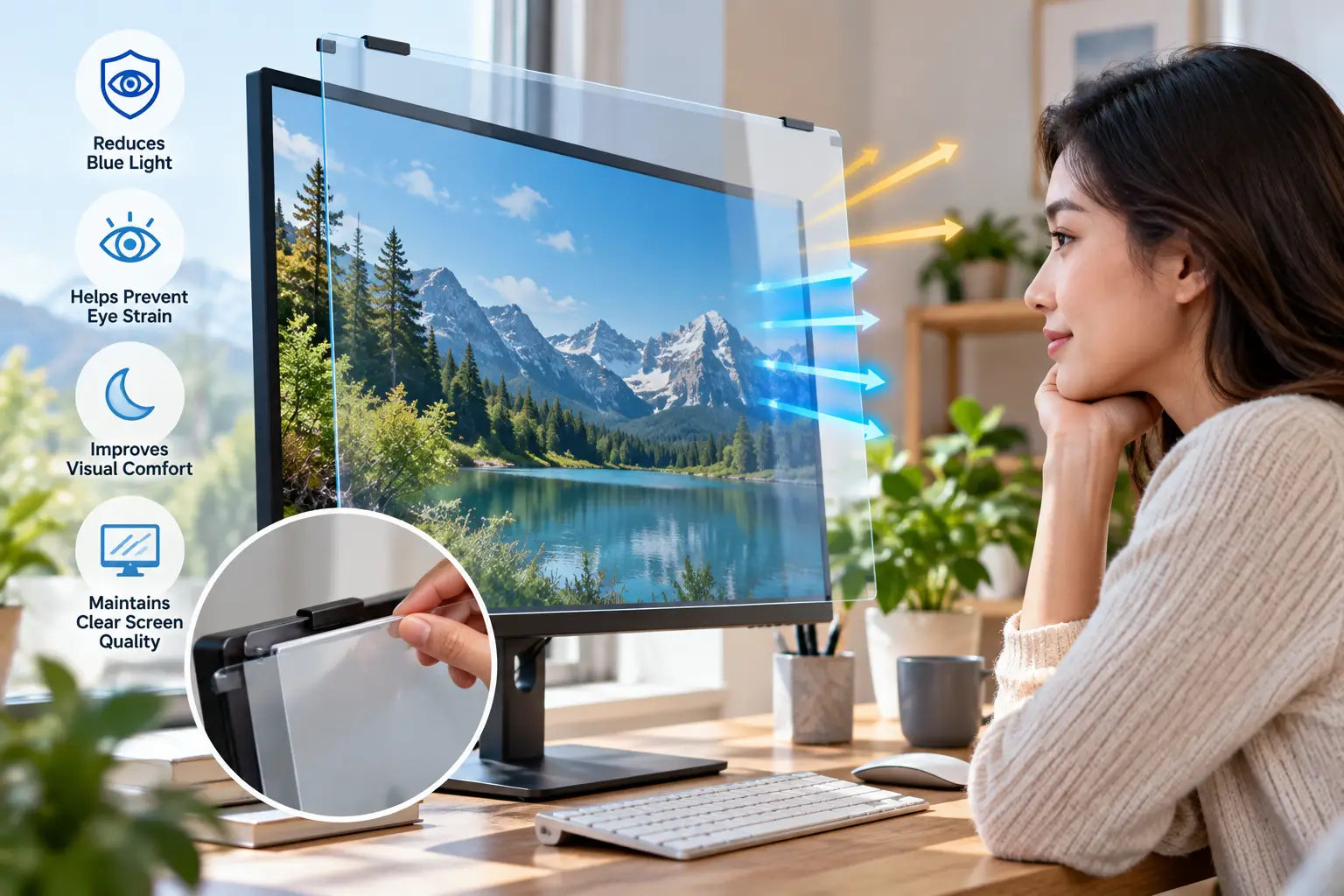
A computer monitor screen protector for eyes is a removable acrylic panel or adhesive film placed over a desktop display to filter part of the high-energy visible (HEV) blue light and UV, reduce glare, and shield the screen from scratches. Some models also add a privacy layer that darkens the screen from side angles.
In practice, these products fall into three families:
- ✅ Hanging acrylic panels — rigid sheets that hook over the top bezel. No adhesive, easy to remove, and the most popular style for desktops.
- ✅ Adhesive or tab-mounted films — thinner layers attached with clear tabs or strips. They sit closer to the display, so image clarity is often better.
- ✅ Privacy filters with blue light reduction — micro-louver filters that narrow the viewing angle and filter a slice of blue light at the same time.
The key thing to understand is the wavelength math. Blue light spans roughly 380–495 nm, and the “percent blocked” number on a box only makes sense if you know which slice of that range it refers to. A filter claiming 90% blocking across a narrow band is very different from one claiming 60% at the specific 435–440 nm peak. We’ll unpack that in the buying sections below.
Quick Comparison: 7 Best Monitor Screen Protectors at a Glance
| Product | Type | Sizes Offered | Key Filtering Claim | Price Range | Best for |
|---|---|---|---|---|---|
| Ocushield Anti Blue Light Screen Protector | Tab-mounted film (privacy options) | Up to 27″ | Optometrist-developed blue light filter + anti-glare | $45–$90 | Ocushield Anti Blue Light Screen Protector: all-day office comfort |
| Kensington Eyesafe Blue Light Privacy Screen Filter | Privacy filter | 21.5″–27″ | Filters 60% of blue light at 435–440 nm | $75–$110 | Kensington Eyesafe Blue Light Privacy Screen Filter: open offices |
| VizoBlueX Anti-Blue Light Filter | Hanging acrylic panel | 23″–28″ | Targets 380–495 nm | $50–$65 | VizoBlueX Anti-Blue Light Filter: large home monitors |
| ZYY 23-24 Inch Anti Blue Light Screen Protector | Hanging acrylic panel | 20″–32″ | 90% blue light, 98% UV (claimed) | $30–$65 | ZYY 23-24 Inch Anti Blue Light Screen Protector: curved screens |
| VINTEZ Blue Light Screen Protector | Acrylic panel / film | 15.6″–27″ | Up to 61% (420–460 nm), 99% UV | $15–$30 | VINTEZ Blue Light Screen Protector: tight budgets |
| EYES PC Blue Light Screen Protector | Hanging panel for iMac | iMac sizes | Claims full 380–495 nm HEV blocking | $60–$100 | EYES PC Blue Light Screen Protector: iMac owners |
| MOSISO 23-24 Inch Blue Light Blocking Screen Protector | Frame-hanging film | 23″–24″ | Blue light + anti-UV filtering | $30–$40 | MOSISO 23-24 Inch Blue Light Blocking Screen Protector: simple swaps |
Looking at the table, the real split isn’t price — it’s mounting style. The ZYY 23-24 Inch Anti Blue Light Screen Protector, VizoBlueX Anti-Blue Light Filter, and EYES PC Blue Light Screen Protector hang over the bezel, which makes them painless to install but adds a small air gap that can create reflections. The Ocushield Anti Blue Light Screen Protector and Kensington Eyesafe Blue Light Privacy Screen Filter sit closer to the panel, trading easy removal for crisper text — which matters more if you read spreadsheets all day.
💬 One click helps other shoppers make an informed choice too! 😊
Top 7 Computer Monitor Screen Protector for Eyes: Expert Analysis
1. Ocushield Anti Blue Light Screen Protector — best all-rounder for long workdays
The Ocushield Anti Blue Light Screen Protector earns its spot by combining blue light filtering with anti-glare and anti-fingerprint coatings in one thin layer. The UK brand says its filters were developed with optometrists, and monitor versions run up to 27″, with premium editions adding a privacy filter.
Why does that matter in practice? The anti-glare coating is arguably the most useful feature here: it tackles the reflections from windows and overhead lights that make you squint, which eye doctors actually link to strain. The thin film format also keeps text sharper than a thick hanging panel, since there’s less distance between the filter and the pixels.
Based on comparing the specs, this is the pick for desk workers who stare at documents, email, and dashboards for 8+ hours and want one tidy solution. Reviews consistently report easy positioning and a comfortable viewing experience with minimal color shift. A recurring complaint, however, is that attachment tabs on some iMacs aren’t sticky enough, and a few buyers noticed reflections or darkened edges on larger privacy versions when sitting too close.
Pros:
- ✅ Combines anti-glare, anti-fingerprint, and blue light filtering
- ✅ Thin film keeps text sharp and readable
- ✅ Privacy-filter editions available for shared spaces
Cons:
- ❌ Attachment tabs can loosen on some monitors
- ❌ Priced above most hanging acrylic panels
At roughly $45 to $90 depending on size and privacy option, it’s a solid value if anti-glare is your top priority.
2. Kensington Eyesafe Blue Light Privacy Screen Filter — most precise blue light targeting
The Kensington Eyesafe Blue Light Privacy Screen Filter is the most “engineered” option here, pairing a privacy filter with Eyesafe’s patented RPF60 technology. Instead of chasing a giant “99%” number, it selectively filters 60% of blue light at 435–440 nm — the band Eyesafe identifies as most concerning.
On paper, that narrow targeting means far less of the yellow tint you get from aggressive filters, so colors stay closer to normal. Eyesafe’s technology is certified by TÜV Rheinland, an independent testing lab, which gives the claim more credibility than generic marketplace listings. The model for 23.8″ 16:9 monitors (ES238A169A) is the classic office size, and newer EQ-series versions cover 21.5″ to 27″.
This is the filter for people in open offices, healthcare front desks, or finance roles who need privacy and want blue light reduction without wrecking color. Verifiable customer review volume for the monitor sizes is still limited, so we can’t summarize broad sentiment honestly; what’s consistent across privacy filters in general is that the screen looks darker from the side by design and slightly dimmer head-on.
Pros:
- ✅ Narrow-band filtering preserves natural screen colors
- ✅ Independent TÜV Rheinland certification behind the technology
- ✅ Doubles as a privacy filter for shared workspaces
Cons:
- ❌ Privacy layer slightly reduces head-on brightness
- ❌ Limited verifiable customer reviews for monitor sizes
Expect between $75 and $110; worth it only if you actually need privacy too.
3. VizoBlueX Anti-Blue Light Filter — best hanging panel for big screens
The VizoBlueX Anti-Blue Light Filter is a long-running favorite for large displays, with versions sized for 25–26″ and 27–28″ monitors. The 27–28″ panel measures 24.8″ x 14.6″ and hangs over the top bezel — no adhesive, no tools.
The brand says it blocks blue light across 380–495 nm, which is the full blue range. What that means in practice: you’ll likely notice a warmer cast on white backgrounds, which some people find soothing for late-night work and others find distracting for photo editing. Its hanging design also makes it a renter-friendly, monitor-friendly choice — you can lift it off for color-critical tasks in two seconds.
Based on comparing the specs, this suits home-office workers and casual gamers with 27″ screens who want something reversible. At the time of research, a sales tracker showed the 27–28″ listing among the top sellers in its category with an aggregate rating around 4.4 stars. A common theme in reviews of hanging panels like this one is that fit depends entirely on measuring correctly, and that the air gap can reflect bright room lights.
Pros:
- ✅ Large sizes fit 27″ and 28″ monitors
- ✅ Tool-free hanging install, fully removable
- ✅ Popular listing with strong aggregate ratings
Cons:
- ❌ Warm tint affects color-accurate work
- ❌ Air gap can reflect bright overhead lights
At around $50 to $65, it’s fairly priced for a large rigid panel.
4. ZYY 23-24 Inch Anti Blue Light Screen Protector — best fit for curved monitors
The ZYY 23-24 Inch Anti Blue Light Screen Protector stands out because ZYY explicitly lists compatibility with curved monitors and the 24″ iMac. The panel measures 21 1/4″ x 13 3/8″ (540 x 340 mm) and is a 2 mm acrylic sheet rated at 8H hardness.
ZYY claims 90% blue light blocking and 98% UV blocking. Treat those as manufacturer figures — but the 8H hardness rating is the more practical spec: it means the panel resists scratches from cleaning cloths and stray pens better than softer 3H acrylic. Sizes span 20″ up to 32″, plus 2-packs for dual-monitor setups.
Here’s what to weigh: a rigid flat panel sitting in front of a curved screen naturally creates a varying gap, so edges may look slightly different from the center. Still, reviewers with curved monitors consistently report that the hang-on design, held by small rubber arms, is easier than wrestling with adhesive film. That makes this a strong pick for gamers and dual-screen setups.
Pros:
- ✅ Listed as compatible with curved monitors and iMac 24″
- ✅ 8H hardness resists everyday scratches
- ✅ Wide size range including 2-pack bundles
Cons:
- ❌ Filtering percentages are unverified manufacturer claims
- ❌ Flat panel on curved screens creates uneven gaps
Prices run roughly $30 for a single to $65 for a 2-pack — great value for multi-monitor desks.
5. VINTEZ Blue Light Screen Protector — best budget entry point
The VINTEZ Blue Light Screen Protector is the most affordable way to try a filter without much risk. The 27″ version measures 24.0″ x 14.0″, and VINTEZ states it filters up to 61% of blue light in the 420–460 nm range and 99% of UV.
The honesty here is refreshing: VINTEZ openly states the standard acrylic model doesn’t include anti-glare. That matters, because glare is a bigger strain driver than blue light for most people. If your room has windows behind you, look at VINTEZ’s separate anti-glare versions instead. The 3H hardness is also softer than ZYY’s 8H, so wipe it gently.
Based on comparing the specs, this is ideal for students, a first experiment, or a secondary monitor. Reviews consistently mention good value and responsive customer service, while some buyers note a bit of glare — exactly what the spec sheet predicts. Certain listings also mention a lifetime replacement policy, which reduces long-term risk.
Pros:
- ✅ Lowest-cost way to test a filter
- ✅ Transparent, specific wavelength claims
- ✅ Sizes from 15.6″ laptops to 27″ monitors
Cons:
- ❌ Standard model lacks anti-glare coating
- ❌ Softer 3H surface scratches more easily
At around $15 to $30, it’s the best value for anyone unsure whether filters work for them.
6. EYES PC Blue Light Screen Protector — tailored fit for iMac owners
The EYES PC Blue Light Screen Protector from Accurate Films is designed for precise iMac fits, including the 21.5″ model. Its maker claims it blocks 100% of HEV blue light across 380–495 nm — an aggressive claim worth reading with healthy skepticism.
Why the skepticism? Researchers reviewing blue-light lenses have noted that filtering high levels of blue light requires an obvious amber tint. So if this panel truly blocks the whole band, expect a visibly warm screen; if it doesn’t look amber, the “100%” likely applies to a narrower slice. Either way, the precision iMac sizing is the real strength — a snug, purpose-cut panel looks neater than a universal one.
Reviews consistently describe noticeable comfort and some buyers purchasing a second unit for another screen. However, a recurring complaint is that it’s heavy and doesn’t sit well on newer, thinner iMacs, where it can slide down the screen. That makes it best for owners of older, thicker iMac models.
Pros:
- ✅ Purpose-cut sizing for specific iMac models
- ✅ Many reviewers report improved viewing comfort
- ✅ Rigid panel doubles as scratch protection
Cons:
- ❌ Heavy; slips on newer thin iMacs
- ❌ “100% blocking” claim deserves skepticism
Usually priced in the upper tier — roughly $60 to $100 by size at the time of writing; check the current price.
7. MOSISO 23-24 Inch Blue Light Blocking Screen Protector — simplest mid-range swap
The MOSISO 23-24 Inch Blue Light Blocking Screen Protector comes from a well-known laptop-accessory brand and targets the most common office size: 23–24″ 16:9 monitors. It uses a frame-hanging design with anti-UV filtering.
The practical takeaway is that MOSISO asks you to measure your actual screen width and height before buying — a small but important instruction, since “24-inch” monitors vary by bezel and panel size. Its frame-hanging mount means you avoid adhesive residue, and swapping it to a new monitor of the same size takes seconds.
Based on comparing the specs, it’s a sensible middle path for office workers who want something sturdier than a budget film but don’t need privacy or precision iMac sizing. Verifiable US review data for this exact model is thinner than for ZYY or VizoBlueX, so we can’t summarize broad sentiment reliably; buy from a listing with a clear return window.
Pros:
- ✅ Fits the most common 23–24″ office monitors
- ✅ No adhesive, so no residue on your display
- ✅ Recognizable accessory brand with US availability
Cons:
- ❌ Limited verifiable review data for this model
- ❌ Fewer size options than competing brands
In the $30 to $40 range, it’s a fair mid-range buy for standard office setups.
Side-by-Side: Top 7 Feature Comparison
| Product | Mount | Anti-Glare | Privacy | Hardness / Build | Best for |
|---|---|---|---|---|---|
| Ocushield Anti Blue Light Screen Protector | Tabs | Yes | Optional | Thin film | Ocushield Anti Blue Light Screen Protector: document-heavy work |
| Kensington Eyesafe Blue Light Privacy Screen Filter | Tabs/strips | Matte privacy surface | Yes | Privacy filter | Kensington Eyesafe Blue Light Privacy Screen Filter: shared offices |
| VizoBlueX Anti-Blue Light Filter | Hanging | No (clear) | No | Rigid acrylic | VizoBlueX Anti-Blue Light Filter: 27–28″ screens |
| ZYY 23-24 Inch Anti Blue Light Screen Protector | Hanging | No (clear) | No | 8H acrylic, 2 mm | ZYY 23-24 Inch Anti Blue Light Screen Protector: dual/curved setups |
| VINTEZ Blue Light Screen Protector | Hanging | Separate versions | No | 3H acrylic | VINTEZ Blue Light Screen Protector: budget testing |
| EYES PC Blue Light Screen Protector | Hanging | No | No | Rigid panel | EYES PC Blue Light Screen Protector: older iMacs |
| MOSISO 23-24 Inch Blue Light Blocking Screen Protector | Frame hanging | No | No | Film/panel | MOSISO 23-24 Inch Blue Light Blocking Screen Protector: standard office monitors |
Notice that only the Ocushield Anti Blue Light Screen Protector and the Kensington Eyesafe Blue Light Privacy Screen Filter address glare and privacy directly, and both sit closer to the panel. The hanging acrylic options win on convenience and price, but they’re essentially clear sheets — so if glare is your main problem, a hanging panel alone won’t fix it. For dual-monitor desks, the ZYY 23-24 Inch Anti Blue Light Screen Protector 2-pack is the most economical way to keep both screens consistent.
✨ Don’t miss these eye-friendly upgrades!
🔍 Take your screen comfort to the next level with this carefully curated lineup. Click a highlighted product to check current pricing and availability. These picks will help you build a calmer, glare-free workspace the whole family will enjoy! 🖥️
How to Install and Get the Most From Your Screen Protector
A great filter installed badly is worse than no filter at all. Here’s a practical 30-day plan. 🛠️
Day 1: Measure and prep
- ✅ Measure the visible screen, not the diagonal on the box. Width and height of the lit area matter most for hanging panels.
- ✅ Clean the display with a dry microfiber cloth. Dust trapped under a film causes bubbles; dust behind a panel scatters light.
- ✅ Peel both protective films from acrylic panels. Forgetting the second layer is the #1 reason people think their panel looks “foggy.”
Day 1–3: Position for zero glare
Sit in your normal chair and look for reflections. If you see a ceiling light mirrored in a hanging panel, tilt the monitor a few degrees forward or move the lamp. For film filters like the Ocushield Anti Blue Light Screen Protector, align the top edge first, then smooth downward.
Week 1: Retune your monitor
Most filters slightly dim or warm the image. Instead of fighting it, lower brightness to roughly match your room lighting, and bump contrast a notch. This tweak alone often does more for comfort than the filter itself.
Weeks 2–4: Build the habits
- ✅ Follow the 20-20-20 rule: every 20 minutes, look 20 feet away for 20 seconds.
- ✅ Keep the screen about an arm’s length away and slightly below eye level.
- ✅ Clean the filter weekly with a soft, dry cloth — never paper towels on acrylic.
Common first-month mistakes
Using glass cleaner with ammonia (it can cloud coatings), stacking a filter over an already-matte screen (double diffusion makes text fuzzy), and judging the filter on day one before your eyes adjust to the color shift.
Real-World Scenarios: Which Protector Fits Your Desk?
Specs only matter when they meet a real life. Here are three common US profiles and the reasoning behind each match.
👩💼 Profile 1: The remote analyst
Situation: 9 hours a day on spreadsheets, a 24″ monitor facing a window, budget around $60–$90. Best match: Ocushield Anti Blue Light Screen Protector. Why: The window behind her creates reflections — a glare problem, not a blue light problem. The anti-glare coating directly targets that, while the thin film keeps tiny spreadsheet text crisp. A hanging panel would add another reflective surface right where she doesn’t want one.
🎮 Profile 2: The college gamer
Situation: Dual 24″ curved-ish monitors, dorm room, evening sessions, budget under $70 total. Best match: ZYY 23-24 Inch Anti Blue Light Screen Protector (2-pack). Why: Two matching panels keep both screens the same color temperature, which matters when dragging windows between them. The 8H surface survives dorm life, and the hang-on design means nothing gets stuck to the screens if he sells them at graduation.
👵 Profile 3: The retiree on an older iMac
Situation: 3–4 hours of email, photos, and video calls daily on a 21.5″ iMac; low-tech comfort is the priority. Best match: EYES PC Blue Light Screen Protector — or the VINTEZ Blue Light Screen Protector as a budget test. Why: A precision-cut panel hangs neatly on older, thicker iMacs without fiddly tabs. If she’s unsure whether she’ll like the warmer tint, the VINTEZ Blue Light Screen Protector lets her try the concept for a fraction of the cost first.
The pattern? Match the product to your biggest annoyance — glare, privacy, budget, or fit — rather than chasing the highest blocking percentage.
Problem → Solution: Fixing Common Screen Protector Annoyances
Even a well-chosen filter can disappoint at first. Here’s how to fix the five most common complaints. 🔧
❓ Problem 1: “My screen looks blurry or hazy.” ✅ Solution: Check for a leftover protective film on the panel first. If it’s a hanging panel, the air gap may be too wide — gently press the top hooks so the panel sits closer. Film users should reapply in a dust-free room (a steamy bathroom after a shower works surprisingly well).
❓ Problem 2: “I see my ceiling lights reflected.” ✅ Solution: Clear acrylic panels like the VizoBlueX Anti-Blue Light Filter don’t have anti-glare coatings. Tilt the monitor slightly forward, reposition lamps to the side, or switch to a matte filter. Workplace safety guidance from the OSHA Computer Workstations eTool recommends arranging lighting to avoid reflected glare and notes that glare filters shouldn’t significantly reduce screen visibility.
❓ Problem 3: “Colors look yellow.” ✅ Solution: That’s the filter doing its job on the blue spectrum. For photo or video work, choose narrow-band filtering like the Kensington Eyesafe Blue Light Privacy Screen Filter, or simply lift a hanging panel off during color-critical tasks.
❓ Problem 4: “The panel keeps slipping.” ✅ Solution: Common on thin bezels and newer iMacs. Add a small strip of removable mounting putty under the hooks, or choose a tab-mounted film instead.
❓ Problem 5: “My eyes still hurt.” ✅ Solution: The filter may be fine — the habits may not be. Lower brightness, increase blink frequency, use artificial tears if your eyes feel dry, and book an eye exam. Uncorrected vision is a frequent hidden cause of screen strain.
How to Choose a Computer Monitor Screen Protector for Eyes
Follow these seven steps, in order, and you’ll avoid 90% of buyer’s remorse.
- Identify your real problem. Glare, privacy, scratches, or evening blue light? Each points to a different product type, and no single filter solves all four equally well.
- Measure the visible screen area. Width and height of the lit panel beat the advertised diagonal, especially with thin-bezel or ultrawide monitors.
- Pick a mounting style. Hanging panels are reversible and renter-friendly; films and privacy filters sit closer for sharper text.
- Read the wavelength fine print. “60% at 435–440 nm” and “90% blue light” are not comparable claims. Look for the nanometer range behind the percentage.
- Decide on anti-glare. If you have windows or overhead lights behind you, anti-glare matters more than any blocking percentage.
- Check surface hardness. 8H acrylic shrugs off cleaning cloths; 3H needs gentler care.
- Confirm the return policy. Fit and color tint are personal — buy from listings with clear return windows.
Based on comparing the specs across all seven products, the buyers who end up happiest are the ones who chose for step 1 rather than step 4.
Anti Blue Light Screen Protector for Monitor: What the Research Actually Says
Before you spend a dime on an anti blue light screen protector for monitor use, it’s worth knowing what the science supports — and what it doesn’t.
The most rigorous evidence comes from blue-light glasses, not monitor filters, but the principle is closely related. A 2023 Cochrane systematic review of 17 randomized trials concluded that blue-light filtering spectacle lenses may not reduce short-term eye strain from computer work compared with regular lenses. The AAO likewise says screen blue light hasn’t been shown to damage the eyes and doesn’t recommend special eyewear for computer use.
So does an anti blue light screen protector for monitor setups do anything useful? Honestly, yes — just not always for the reason on the box:
- ✅ Glare reduction: Models with matte or anti-glare coatings cut reflections, a well-documented strain trigger.
- ✅ Lower perceived brightness: A slightly darker, warmer image reduces contrast against a dim room, which many people find more comfortable.
- ✅ Evening use: Eye-health groups note blue light can affect your sleep-wake rhythm, so warmer screens at night may help some people wind down.
- ✅ Physical protection: Rigid panels guard against scratches, pet paws, and toddler fingers.
What the evidence doesn’t support: claims that a filter prevents macular degeneration or “radiation damage.” When a listing leans heavily on those promises, treat it as a red flag about the seller’s honesty, not a feature.
Anti Glare Screen Protector for Monitor vs Blue Light Filter: Which Actually Helps?
Here’s where many shoppers get tripped up. An anti glare screen protector for monitor use and a blue light filter solve different problems — and some products do one without the other.
Anti-glare filters use a matte, micro-textured surface to scatter reflected light from windows and lamps. They don’t change the color of your screen much, but they directly address one of the classic causes of squinting and awkward posture.
Blue light filters absorb part of the short-wavelength spectrum. They warm the image and may help evening comfort, but a glossy blue light panel can actually add reflections.
| Solution | Reduces Glare | Filters Blue Light | Protects Screen | Cost | Best for |
|---|---|---|---|---|---|
| Anti-glare matte filter | ✅ Strong | ⚠️ Minimal | ✅ Yes | Low–mid | Bright rooms, window-facing desks |
| Hanging blue light panel (e.g., ZYY 23-24 Inch Anti Blue Light Screen Protector) | ❌ No | ✅ Yes | ✅ Yes | Low–mid | Evening use, scratch protection |
| Film with both (e.g., Ocushield Anti Blue Light Screen Protector) | ✅ Yes | ✅ Yes | ✅ Yes | Mid–high | All-day office work |
| Built-in night mode (Windows/macOS) | ❌ No | ✅ Adjustable | ❌ No | Free | Testing before you buy |
| Blue light glasses | ❌ No | ⚠️ Partial | ❌ No | Varies | Multi-device users |
The takeaway from this comparison is clear: if you only fix one thing, fix glare. A combination product like the Ocushield Anti Blue Light Screen Protector covers both bases, while free night-mode software lets you preview the warm-tint effect before committing to a hanging panel. Glasses remain the most portable option, but the evidence for their eye-strain benefit is weak.
Features That Actually Matter (and Ones That Don’t)
Marketing copy for monitor filters is loud. Let’s turn down the volume. 🔊
✅ Features that matter
- Anti-glare or matte finish: Directly reduces reflections — the feature most aligned with what eye doctors recommend.
- Accurate sizing: A panel 1 inch too small leaves a bright strip of unfiltered screen your eyes keep drifting to.
- Surface hardness (6H–8H): Determines whether your filter looks clean in a year or covered in micro-scratches.
- Narrow-band targeting: Filters like the Kensington Eyesafe Blue Light Privacy Screen Filter reduce blue light while keeping color more natural — useful if you edit photos or watch movies.
- Easy removal: Being able to lift a panel off for color-critical work is underrated flexibility.
❌ Features that matter less than you’d think
- “99%” or “100%” blocking claims: Without a stated wavelength range, the number is meaningless — and extreme blocking forces heavy yellow tinting.
- “Anti-radiation” language: Modern LCD and LED monitors aren’t a radiation hazard in the way these listings imply.
- “Explosion-proof”: Nice for shipping durability, irrelevant to your eyes.
- Bundled test cards: The UV/blue test cards some sellers include demonstrate absorption, but they don’t prove comfort benefits.
Based on comparing listings, the best products tend to make specific, modest claims. The VINTEZ Blue Light Screen Protector, for example, states its 61% figure alongside the 420–460 nm range — and even admits which version lacks anti-glare. That kind of transparency is a good proxy for trustworthiness.
Common Mistakes to Avoid When Buying a Blue Light Filter for Computer Monitor
Shopping for a blue light filter for computer monitor setups looks simple, but these slip-ups cause most returns.
1. Buying by diagonal size alone. Two “27-inch” monitors can differ in bezel and panel dimensions. Always compare the filter’s actual width and height to your measured screen.
2. Ignoring aspect ratio. A 16:10 monitor needs a taller filter than a 16:9 one. Ultrawides (21:9) usually need specialty sizes most brands don’t carry.
3. Expecting a filter to cure dry eyes. Dry, gritty eyes come largely from reduced blinking. A blue light filter for computer monitor use won’t change your blink rate — breaks and artificial tears will.
4. Forgetting about curved screens. Flat films don’t stick well to curves. Choose a hanging model explicitly listed for curved displays, like the ZYY 23-24 Inch Anti Blue Light Screen Protector.
5. Choosing a privacy filter you don’t need. Privacy layers reduce brightness and narrow your own viewing angle. At home, that’s usually a downgrade.
6. Trusting review counts on mirrored listings. Many sites copy Amazon product pages with altered prices and ratings. Check reviews on amazon.com directly before deciding.
7. Skipping the eye exam. If strain persists after a filter, an outdated prescription or early presbyopia is a likely suspect worth ruling out.
Monitor Screen Protector for Eye Strain: Advice for Every User
A monitor screen protector for eye strain works best when it fits your specific situation. Here’s tailored advice.
💼 Office and remote workers
Prioritize anti-glare and text sharpness. The Ocushield Anti Blue Light Screen Protector suits solo home offices, while the Kensington Eyesafe Blue Light Privacy Screen Filter fits open-plan offices where coworkers walk behind you.
🎮 Gamers
Fast-moving content and dark scenes make reflections more noticeable. Clear hanging panels like the ZYY 23-24 Inch Anti Blue Light Screen Protector won’t reduce glare, so pair one with a dim, side-lit room. Competitive players sensitive to color shifts may prefer software night mode only during evening sessions.
👶 Kids and students
Durability beats specs. A rigid, removable panel like the VINTEZ Blue Light Screen Protector protects the monitor from fingers and pencils. Remember that the AAO’s tips — breaks, distance, posture — matter even more for children, who often don’t notice their own strain.
👓 Seniors and glasses wearers
Larger text, lower brightness, and minimal reflections are the winning combo. Purpose-fit panels like the EYES PC Blue Light Screen Protector suit older iMacs, while anyone wearing progressive lenses should position the monitor slightly lower to avoid craning the neck.
🎨 Creative professionals
For photo, video, or design work, a monitor screen protector for eye strain must preserve color. Use a removable panel and lift it off during editing, or choose a narrow-band filter — and always recalibrate your display after installing any filter.
Long-Term Cost and Maintenance
A filter seems like a one-time purchase, but true cost depends on lifespan, cleaning, and whether it survives your next monitor upgrade.
| Product | Upfront Range | Reusable on New Monitor? | Care Level | Long-Term Value | Best for |
|---|---|---|---|---|---|
| VINTEZ Blue Light Screen Protector | $15–$30 | Yes, if same size | Gentle (3H) | High for testing | VINTEZ Blue Light Screen Protector: first-time buyers |
| ZYY 23-24 Inch Anti Blue Light Screen Protector | $30–$65 | Yes | Low (8H) | Very high | ZYY 23-24 Inch Anti Blue Light Screen Protector: multi-year use |
| VizoBlueX Anti-Blue Light Filter | $50–$65 | Yes | Moderate | High | VizoBlueX Anti-Blue Light Filter: big-screen owners |
| Ocushield Anti Blue Light Screen Protector | $45–$90 | Tabs may need replacing | Moderate | Good | Ocushield Anti Blue Light Screen Protector: daily professionals |
| Kensington Eyesafe Blue Light Privacy Screen Filter | $75–$110 | Yes, if same size | Moderate | Good if privacy needed | Kensington Eyesafe Blue Light Privacy Screen Filter: business users |
The math favors hard-surface hanging panels: the ZYY 23-24 Inch Anti Blue Light Screen Protector costs little and its 8H surface keeps it usable for years, spreading cost over thousands of hours. Privacy filters cost more but replace two separate accessories, which improves their real value for office buyers. Softer panels like the VINTEZ Blue Light Screen Protector are cheapest upfront but need gentler cleaning to last.
Maintenance tips that extend lifespan:
- ✅ Dust weekly with a dry microfiber cloth.
- ✅ For smudges, use a lightly dampened cloth with plain water — no ammonia or alcohol on coated surfaces.
- ✅ Store removed panels flat inside their original packaging to prevent warping.
- ✅ Replace adhesive tabs instead of the whole filter when they lose grip.
Safety, Standards, and Certifications
There’s no single federal standard that certifies a computer monitor screen protector for eyes, which is exactly why buyers need to read claims carefully.
What certifications exist? Independent labs like TÜV Rheinland test and certify certain low-blue-light technologies, including the Eyesafe technology used in the Kensington Eyesafe Blue Light Privacy Screen Filter. This doesn’t prove an eye-strain benefit, but it does confirm the filter performs as described optically.
Workplace guidance: OSHA has no specific standard for computer workstations; its eTool is advisory. Still, its recommendations — controlling glare, cleaning monitors, positioning screens directly in front of you — are practical benchmarks for evaluating any filter.
Eye-care guidance: The American Optometric Association’s guide to computer vision syndrome describes digital eye strain as a group of vision problems from prolonged screen use, and comprehensive eye exams remain the most reliable way to address persistent symptoms.
Advertising honesty: Under FTC rules, health claims in ads must be truthful and backed by evidence. Listings promising to “prevent eye disease” go well beyond what current research supports — a useful filter for spotting less trustworthy sellers.
Physical safety: Rigid acrylic panels are generally shatter-resistant, but large hanging panels can slip off thin monitors. Secure them properly in homes with kids or pets, and keep acrylic away from heaters, which can warp it.
FAQs
❓ What is the best computer monitor screen protector for eyes in 2026?
❓ Is a hanging or adhesive monitor screen protector better?
❓ Will a blue light screen protector change my monitor's colors?
❓ How do I know what size screen protector to buy for my monitor?
❓ Can I use a monitor screen protector with a curved or iMac display?
Conclusion: Choose for Comfort, Not Just the Percentage
The right computer monitor screen protector for eyes isn’t the one with the biggest “blocking” number — it’s the one that solves your desk’s real problem. If glare is ruining your afternoons, the Ocushield Anti Blue Light Screen Protector is the most complete fix. If you share an office, the Kensington Eyesafe Blue Light Privacy Screen Filter adds privacy with refined, narrow-band filtering. For big or curved screens, the VizoBlueX Anti-Blue Light Filter and ZYY 23-24 Inch Anti Blue Light Screen Protector deliver tool-free convenience at fair prices.
On a budget? The VINTEZ Blue Light Screen Protector is the smartest low-risk experiment. iMac owners with older models get a tailored fit from the EYES PC Blue Light Screen Protector, and standard office monitors are well served by the MOSISO 23-24 Inch Blue Light Blocking Screen Protector.
Just remember the honest bottom line: a filter is one tool, not a cure. Pair it with the 20-20-20 rule, sensible brightness, good posture, and regular eye exams, and your eyes will thank you long after the workday ends. 👀💙
🚀 Ready to give your eyes a break?
🛒 Pick the protector that matches your screen and your biggest frustration, then click the highlighted product name to check current pricing and availability on Amazon. Your future self — the one finishing a long workday without that gritty-eye feeling — will be glad you did! ✨
Recommended for You
- Computer Reading Glasses vs Reading Glasses: 7 Best Picks for 2026
- Blue Light Filter for TV: 7 Best Picks Worth It in 2026
- Clear Top Reading Glasses: 7 Best Picks That Actually Work (2026)
Disclaimer: This post contains affiliate links. As an Amazon Associate, I earn from qualifying purchases made through these links, at no additional cost to you. Product information and price ranges were accurate at the time of writing and may change; this article is for general information and isn’t medical advice — see an eye care professional for persistent symptoms.
✨ Found this article helpful? Share it with someone who needs it! 💬🤗