In This Article
Are Anti Fatigue Lenses Worth It? The Honest Introduction
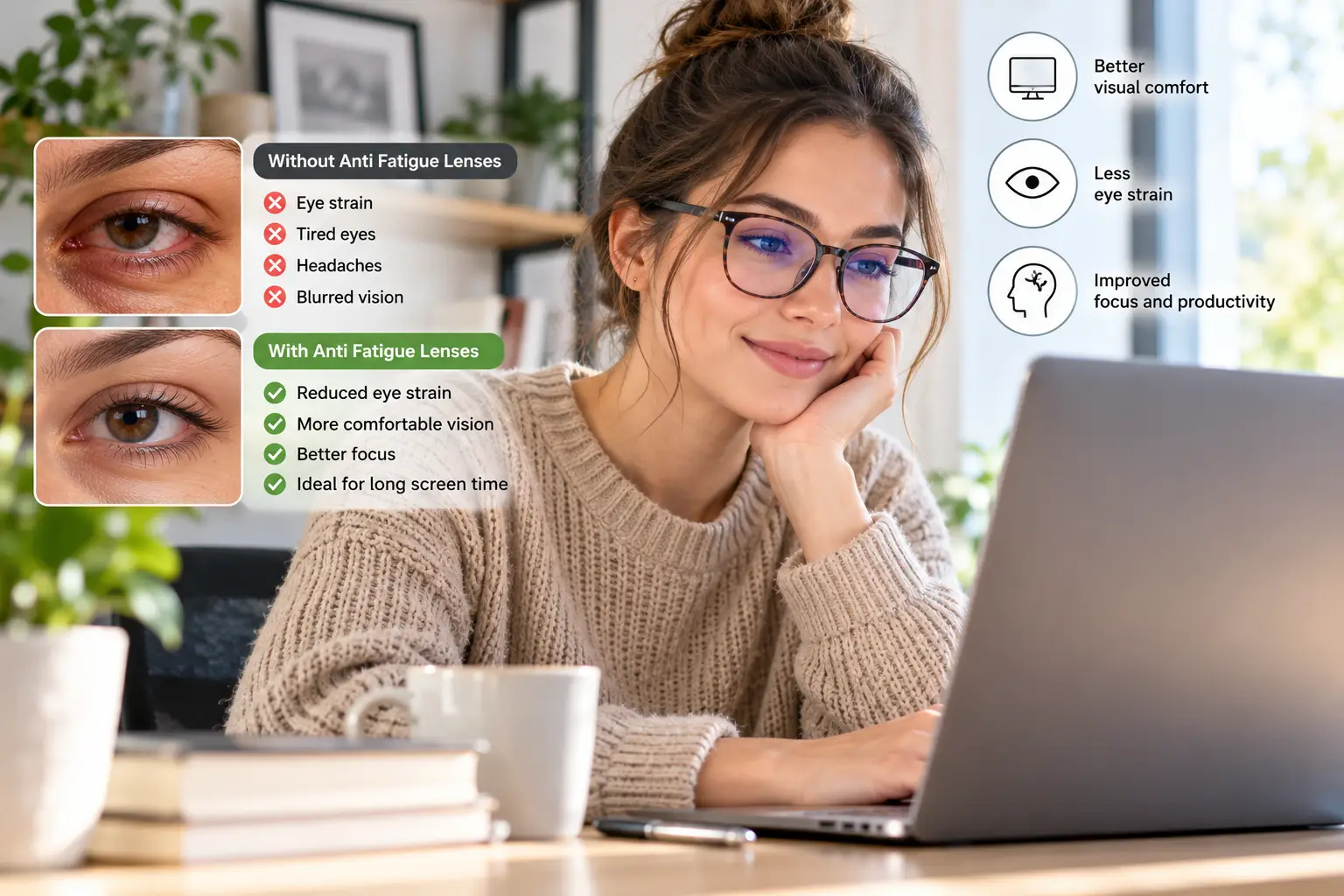
It’s 4 p.m. Your inbox is finally under control, but the text on your monitor looks a little soft around the edges, your eyes feel gritty, and there’s a dull ache behind your brow. Sound familiar? 😩 That end-of-day fog is exactly what anti fatigue lenses promise to fix — which is why so many people are asking: are anti fatigue lenses worth it, or is this just another optical upsell?
Here’s the short answer. Are anti fatigue lenses worth it? For the right person, yes — but probably not for the reason the marketing suggests. The part of these lenses that has a real optical mechanism is the small magnifying “boost” in the lower portion of the lens, which takes some focusing work off your eye muscles during close-up tasks. The blue light filter that often rides along with it is a very different story, and the research on that feature is far less flattering.
This guide separates the two. You’ll learn how prescription anti fatigue lenses from brands like Essilor, ZEISS, and HOYA actually work, what the strongest available evidence says, and who genuinely benefits (hint: people in their 30s and 40s who stare at screens for hours tend to be the sweet spot). We’ll also walk through seven real, buyable screen-comfort glasses on Amazon — from a sub-$25 budget pair to premium options — and explain honestly which ones mimic the anti-fatigue “boost” and which ones are mostly blue light filters with good styling.
No invented test stories, no fake reviews. Just spec sheets, published research, aggregated customer sentiment, and practical reasoning, so you can decide whether to spend $25 or $400 — or nothing at all. 👓
What Are Anti Fatigue Lenses?
Anti fatigue lenses are single-vision eyeglass lenses that keep your full distance prescription in the upper portion but add a small plus-power “boost” (roughly +0.40 to +1.30 diopters) near the bottom. That boost helps your eyes focus up close with less effort, aiming to reduce digital eye strain during long screen or reading sessions.
Think of them as a halfway house between regular single vision lenses and progressives. A standard single vision lens has one power across the whole surface, so every time you look down at your phone, your eye’s internal focusing muscle (the ciliary muscle) does 100% of the work. Anti fatigue lenses — also sold as “digital lenses,” “accommodative support lenses,” or “relax lenses” — lend that muscle a hand.
It’s worth knowing what they are not. According to the American Academy of Ophthalmology’s guidance on computer use and eye strain, true computer glasses are designed to focus at intermediate screen distance, and they are not the same thing as “blue light blocking” glasses. The same guidance notes that people blink only about 5 to 7 times a minute at screens — a big reason eyes feel dry and tired. In other words, eye strain has several causes, and an anti-fatigue boost addresses only one of them: focusing effort.
You’ll also see the term used loosely online. Many Amazon listings call basic blue light glasses “anti-fatigue” even though their lenses contain no boost at all. That’s why the product section below labels exactly what each pair does — and doesn’t — do.
Quick Comparison: 7 Screen-Comfort Glasses at a Glance
Before the deep dive, here’s the cheat sheet. The “Boost?” column is the most important one: it tells you whether a pair adds any plus power, which is the feature that actually mirrors how prescription anti fatigue lenses work.
| Glasses | Boost? | Blue Light Filter (brand claim) | Price Range | Best For |
|---|---|---|---|---|
| GUNNAR Intercept | Slight focusing power on Focus lens versions | ~35% clear / ~65% amber | $35–$75 | GUNNAR Intercept: gamers and long sessions |
| GUNNAR Intercept Readers | Yes, +1.00 to +3.00 | ~65% amber | $50–$85 | GUNNAR Intercept Readers: 40+ screen workers |
| Felix Gray Faraday | Plano; low-power options vary by listing | Varies by lens line | $95–$145 | Felix Gray Faraday: style-first office wear |
| Felix Gray Jemison Readers | Yes, multiple reader strengths | Varies by lens line | $95–$150 | Felix Gray Jemison Readers: HSA/FSA buyers |
| Foster Grant Braydon Multi Focus Blue Light | Yes, three strengths in one lens | At least 30% blue-violet | $25–$45 | Foster Grant Braydon Multi Focus Blue Light: near + mid distance multitaskers |
| Peepers Blue Light Focus Readers | Yes, +0.00 to +3.00 | Over 40% HEV (400–450 nm) | $30–$50 | Peepers Blue Light Focus Readers: fashion-conscious readers |
| Cyxus Blue Light Filter Computer Glasses | Plano (reader versions sold separately) | Clear lens, unspecified % | Under $25 | Cyxus Blue Light Filter Computer Glasses: trying the category cheaply |
Looking at the table, the split is clear: only the reader-style and multifocal pairs add meaningful plus power, which is the mechanism with the strongest logic behind it. If you’re under 40 with no near-focus issues, the GUNNAR Intercept or Cyxus Blue Light Filter Computer Glasses are low-risk experiments, but don’t expect miracles from the filter alone. If you’re 40+ and already squinting at small text, the Foster Grant Braydon Multi Focus Blue Light gives you the closest over-the-counter imitation of a boosted lens for the least money.
💬 One click helps other shoppers make an informed choice too! 😊
Top 7 Anti-Fatigue Glasses for Computer Use: Expert Analysis
A quick honesty note first: true prescription anti fatigue lenses (Essilor Eyezen, ZEISS SmartLife Digital, HOYA Sync III, Shamir Relax) are fitted by an eye care professional and aren’t sold on Amazon. The seven picks below are the realistic over-the-counter alternatives — some add genuine plus power, some don’t — and each one is labeled accordingly.
1. GUNNAR Intercept — best for marathon gaming sessions
The GUNNAR Intercept is the pair most associated with “computer eyewear,” and it earns that reputation through a wide, headset-friendly frame rather than magic. Its specs list a 58 mm lens width, a 135 mm frame width, and a featherlight 33 grams, which in practice means it sits comfortably under over-ear headphones for hours. GUNNAR rates its amber lens at about 65% blue light filtering, the clear version at about 35%, and the deep Amber Max at about 98%, and some GUNNAR lens versions include what the brand calls a slight focusing power (around +0.20) to relax the eye muscles.
Based on comparing the specs, that small plus power is the more interesting feature here — it’s a miniature version of the anti-fatigue boost. The amber tint is a trade-off: it cuts glare and makes screens feel calmer, but it visibly shifts colors, so photo editors and designers should skip it. Gamers and coders who care more about comfort than color accuracy are the natural fit.
Customer reviews at major US retailers consistently praise comfort, build quality, and the calmer feel of the amber tint, while a minority report eye strain or headaches, especially early on.
Pros:
- ✅ Lightweight 33 g frame that works under headsets
- ✅ Wide lenses give an unobstructed panoramic view
- ✅ Multiple tint strengths, from clear to Amber Max
Cons:
- ❌ Amber tint distorts colors for creative work
- ❌ Some buyers report headaches during the first days
Usually found between $35 and $75 depending on tint and sales — solid value if you game or code for hours daily.
2. GUNNAR Intercept Readers — real magnification for 40+ eyes
If you’ve started holding your phone at arm’s length, the GUNNAR Intercept Readers add the one feature that matters most: genuine magnification. They’re sold in +1.00, +1.50, +2.00, +2.50, and +3.00 strengths, with the same 58 mm lens and 33 g frame as the standard GUNNAR Intercept, plus the 65% amber filter and full UV protection.
Here’s what to weigh. Unlike a prescription anti-fatigue lens, a reader magnifies the entire lens, so your distance vision blurs when you look up. That makes these desk-only glasses, not all-day wear. For a 45-year-old with early presbyopia who spends eight hours at a monitor, though, a low-strength reader often delivers more relief than any coating, because it directly reduces how hard the eye has to focus.
Review sentiment mirrors the standard Intercept: buyers appreciate comfort and fit, while a few note that choosing the wrong strength causes blur or headaches — a strength problem more than a product problem.
Pros:
- ✅ True plus power in five strengths
- ✅ Same comfortable, lightweight frame as the standard model
- ✅ Combines magnification with a strong amber filter
Cons:
- ❌ Distance vision blurs — strictly for desk work
- ❌ Amber tint limits color-critical tasks
Typically in the $50 to $85 range — good value for presbyopic gamers and remote workers.
3. Felix Gray Faraday — the most office-friendly look
The Felix Gray Faraday is for people who want screen glasses that look like regular, well-made eyeglasses. Its listed measurements are 53-17-145 with a 137 mm total frame width (Felix Gray labels it a “wide” fit), and the filtering is infused into the lens material rather than applied as a reflective coating, so you don’t get that telltale blue sheen. Felix Gray also applies anti-glare and UV coatings.
What the spec sheet doesn’t say clearly is exactly how much blue light is filtered: Felix Gray’s own pages cite different figures for different lens lines, which is a reason to treat the percentage as marketing rather than a measurement. Honestly analyzed, you’re mainly paying for optical-grade lenses, anti-glare, and design. That’s not nothing — reflections and glare are real strain contributors.
Aggregated reviews are mixed but leaning positive: many buyers like the clarity and the subtle tint, while some complain about frames that creak or sit unevenly.
Pros:
- ✅ Nearly invisible tint suits meetings and video calls
- ✅ Quality anti-glare coating on both lens sides
- ✅ Available as non-Rx, prescription, and reader versions
Cons:
- ❌ Premium price for a mostly plano lens
- ❌ Some reports of frame fit and alignment issues
Usually in the $95 to $145 range — worth it mainly if style and anti-glare matter to you.
4. Felix Gray Jemison Readers — premium readers that are HSA-friendly
The Felix Gray Jemison Readers take the same in-lens filter and anti-glare treatment and add magnification, with retailers listing strengths from low powers (around +0.50) up to +3.50. That low end is notable: a +0.50 reader is close to the boost range used in prescription anti fatigue lenses, which makes it a sensible trial for people in their late 30s.
Based on comparing options, the Jemison’s biggest advantage might be financial rather than optical. Felix Gray states that its reading and prescription glasses can often be covered through FSA or HSA accounts, and HSA-focused retailers list the Jemison as eligible. If you have pre-tax dollars expiring at year-end, that changes the value math considerably.
Review sentiment for Felix Gray readers is generally positive about comfort and style, with the same occasional frame-alignment complaints seen on the Felix Gray Faraday.
Pros:
- ✅ Very low strengths available for early focusing fatigue
- ✅ Often eligible for HSA or FSA spending
- ✅ Professional look with minimal tint
Cons:
- ❌ Costs several times more than drugstore readers
- ❌ Full-lens magnification blurs distance vision
Expect roughly $95 to $150 — strongest value if you’re spending pre-tax health dollars.
5. Foster Grant Braydon Multi Focus Blue Light — closest budget match to a boosted lens
The Foster Grant Braydon Multi Focus Blue Light is the most interesting design here because it puts three strengths in one lens, so you can read, work on a computer, and look across the room without swapping glasses. Foster Grant says the lens filters at least 30% of blue-violet light, and the Braydon uses a slim gunmetal metal frame.
On paper, this is the over-the-counter cousin of a progressive or computer lens: stronger power low for reading, weaker power in the middle for the screen, and the least at the top. That graduated design is why it beats single-strength readers for multitaskers. The catch is that fit matters with any multifocal — if the frame sits too high or low, you’ll look through the wrong zone.
On Foster Grant’s own site, the Braydon averages a little above 4 out of 5 stars across roughly 150 reviews; buyers praise value and computer comfort, while some say the frame needed adjusting to sit level.
Pros:
- ✅ Three magnification zones in a single lens
- ✅ Lowest-cost way to try a graduated design
- ✅ Slim metal frame looks professional
Cons:
- ❌ Narrow zones take some getting used to
- ❌ Frame may need adjusting for correct zone height
Usually between $25 and $45 — excellent value for 40+ multitaskers.
6. Peepers Blue Light Focus Readers — most stylish low-power readers
The Peepers Blue Light Focus Readers are a style-first option with a surprisingly practical range: Peepers sells its Focus blue light collection from +0.00 up to +3.00, so you can pick plano, a gentle low power, or full reading strength. The brand says its lens filters over 40% of high-energy visible light in the 400–450 nm band, and many styles add UV400 protection, an anti-reflective coating, and spring hinges.
The spring hinges are the underrated feature — they keep frames from loosening, a common failure point on cheap readers. Peepers also offers a 90-day return window and recommends starting with the lower strength, which is genuinely good advice for anyone experimenting with a boost.
Verified-buyer reviews on the Peepers site are heavily positive about looks and comfort; recurring complaints are frames that run large and lenses that scratch more easily than expected.
Pros:
- ✅ Wide strength range, including plano and low powers
- ✅ Spring hinges improve long-term fit
- ✅ Generous 90-day return policy
Cons:
- ❌ Some styles run large on narrow faces
- ❌ Lens scratch resistance draws occasional complaints
Typically in the $30 to $50 range — strong value if you want style without premium pricing.
7. Cyxus Blue Light Filter Computer Glasses — cheapest way to test the category
The Cyxus Blue Light Filter Computer Glasses are the budget benchmark: clear polycarbonate lenses, an anti-reflective coating, and a lifetime warranty for non-accidental defects, usually for under $25. Cyxus also sells reader versions (+1.0 to +3.0) if you want magnification.
Here’s the honest framing: the standard Cyxus pair has no boost, so any comfort you notice will most likely come from the anti-glare coating or simply from wearing glasses instead of contact lenses — which the American Academy of Ophthalmology itself suggests for dry-eye relief. That makes it a smart, cheap experiment, not a treatment.
Aggregated retailer reviews are strongly positive about the clear lenses and value; note that some reviews disclose they received product reimbursement, so weigh star ratings with care.
Pros:
- ✅ Truly clear lenses with minimal color shift
- ✅ Very low price with a lifetime warranty
- ✅ Lightweight polycarbonate construction
Cons:
- ❌ No focusing boost in the standard version
- ❌ Some reviews are incentivized, muddying ratings
Usually under $25 — the best value for a no-pressure trial.
Your First 30 Days With Anti-Fatigue Glasses: A Practical Start Guide
New lenses, especially ones with any plus power, need a short break-in period. Here’s a realistic plan that listings never mention. 🗓️
Days 1–3: Set up your desk before you judge the glasses
The American Academy of Ophthalmology recommends keeping a desktop screen about 25 inches away — roughly an arm’s length — and positioned so you gaze slightly downward. That downward gaze matters doubly with boosted or multifocal lenses, because the boost lives in the lower part of the lens. If your monitor sits at eye level, you’ll look straight through the distance zone and get almost no benefit.
Days 4–10: Wear them in focused blocks
Start with two or three 60–90 minute work blocks a day instead of jumping into a 10-hour shift. With readers like the GUNNAR Intercept Readers or Peepers Blue Light Focus Readers, take them off when you stand up and walk around — they’re not designed for distance.
Days 11–20: Layer in the habits that actually move the needle
- ✅ Use the 20-20-20 rule: every 20 minutes, look at something 20 feet away for 20 seconds
- ✅ Blink deliberately; screen time cuts your blink rate dramatically
- ✅ Use preservative-free artificial tears if your eyes feel dry
Days 21–30: Run an honest self-check
Keep a quick note at 4 p.m. each day: headache yes/no, blurry yes/no, dryness 1–5. Compare week one with week four. If nothing changed, the glasses probably aren’t your fix — and that’s useful information to bring to an eye exam.
Common first-month mistakes: cleaning coated lenses with paper towels (micro-scratches), choosing a reader strength that’s too strong, and wearing multifocal readers while walking down stairs.
Real-World Scenarios: Which Pair Fits Your Day?
Specs only mean something when you map them to an actual routine. Here are three common US screen-worker profiles and the reasoning behind each match.
👩💻 Maya, 34, UX designer, 9 hours a day on two monitors
Maya has no prescription and no trouble reading, but her eyes feel tired by late afternoon. Color accuracy matters for her job, so amber tints are out. Her best over-the-counter bet is a clear-lens pair like the Felix Gray Faraday or the budget Cyxus Blue Light Filter Computer Glasses, mainly for anti-glare. Honestly, though, at 34 with daily fatigue, she’s the exact profile prescription anti fatigue lenses like HOYA Sync III or ZEISS SmartLife Digital target. An eye exam is the best $100 she can spend.
🎮 Derek, 27, competitive gamer, 4–6 hours each evening
Derek wears a headset, sits close to a high-refresh monitor, and cares about comfort over color fidelity. The GUNNAR Intercept in amber fits his use: light frame, wide lens, headset-friendly arms. Budget: $35–$75. He should still follow the 20-20-20 rule between matches — no lens replaces breaks.
📊 Linda, 49, accountant, spreadsheets all day plus paper files
Linda now holds receipts at arm’s length — classic presbyopia. She switches between paper (close), monitor (mid), and colleagues across the room (far). The Foster Grant Braydon Multi Focus Blue Light is her most logical budget pick, because its graduated zones handle all three distances. If she spends pre-tax health dollars, the Felix Gray Jemison Readers are another option for focused desk work. Long term, a prescription office or computer lens from her optometrist would likely serve her best.
Problem → Solution: Fixing the Most Common Screen-Strain Complaints
Most eye-strain complaints have a specific cause. Match the symptom to the fix before buying anything.
- “My eyes feel dry and gritty by afternoon.” That’s usually reduced blinking, not blue light. Try deliberate blinking, artificial tears, and glasses instead of contacts. Clear anti-glare pairs like the Cyxus Blue Light Filter Computer Glasses can help indirectly by letting your contacts take a break.
- “Small text gets blurry late in the day.” That points to focusing fatigue. A gentle boost — a low-power Peepers Blue Light Focus Readers or prescription anti fatigue lenses — targets this directly.
- “I get headaches after long gaming sessions.” Check screen distance and brightness first. Then consider the GUNNAR Intercept for glare and comfort, and enforce breaks.
- “Readers help with my screen, but I can’t see across the room.” Single-strength readers can’t fix that. Try the Foster Grant Braydon Multi Focus Blue Light, or ask your optometrist about computer or office lenses.
- “My new glasses make me dizzy.” The strength may be too high, or the boost zone may sit at the wrong height. Drop one strength, or have a professional adjust the frame.
✨ Ready to give your eyes a break?
🔍 Compare the seven picks above and click a highlighted product name to check current pricing and availability on Amazon. Start with the lowest strength that makes text comfortable — your 4 p.m. self will thank you! 👓
How to Choose Anti Fatigue Lenses
Use these seven steps in order — each one narrows the field and saves you money.
- Get an eye exam first. Uncorrected prescriptions are one of the most common causes of eye strain, and no off-the-shelf pair can fix astigmatism or mismatched eyes.
- Identify your symptom. Dryness points to blinking and environment; late-day blur on small text points to focusing fatigue — the one problem a boost is built to address.
- Match boost to age. Prescription designs scale with age: Essilor’s Eyezen+ line, for example, has been offered in roughly +0.40, +0.60, and +0.85 diopter versions aimed at ages 18–34, 35–44, and 45–50.
- Decide between prescription and over-the-counter. If you already wear glasses, a professionally fitted anti-fatigue lens replaces your everyday pair. If you don’t, low-power readers are a cheap trial.
- Measure your screen distance. Phone use (12–16 inches) and monitor use (20–26 inches) need different amounts of help.
- Treat blue light filtering as optional. Pick it for comfort or style if you like, but don’t pay a large premium for it.
- Check fit and returns. Boost zones only work if they sit at the right height; favor sellers with 30–90 day return windows.
Anti Fatigue Lenses vs Blue Light Glasses
These two products get lumped together constantly, but they work in completely different ways — and only one has a clear optical mechanism behind its eye-strain claim.
| Feature | Anti Fatigue Lenses (Rx) | Blue Light Glasses | OTC Readers / Multifocal Readers |
|---|---|---|---|
| How it works | Plus-power boost in lower lens | Filters part of blue-violet light | Magnifies whole lens or zones |
| Distance vision | Full prescription on top | Plano (no change) | Blurred (single-strength readers) |
| Evidence for eye strain | Manufacturer wearer trials; plausible mechanism | Cochrane 2023: probably no difference | Well-established for presbyopia |
| Fitting needed | Yes, includes fitting height | No | Minimal |
| Typical cost | Premium lens upgrade | $15–$145 | $20–$150 |
| Best for | Ages ~20–50 with screen fatigue, existing Rx | Style, glare reduction, evening comfort | Foster Grant Braydon Multi Focus Blue Light, GUNNAR Intercept Readers: 40+ near work |
The table shows why the question “are anti fatigue lenses worth it” can’t be answered by looking at blue light percentages. The boost changes how hard your eyes work to focus; the filter changes the color of the light. For a 30-something with tired eyes, the boost is the feature worth paying for; for anyone 40+, honest magnification from readers often delivers similar relief for a fraction of the price.
Do Anti Fatigue Lenses Work? What the Evidence Says
Let’s separate what’s proven from what’s marketed.
The blue light filter: weak evidence
The most rigorous look at blue-light lenses is a 2023 Cochrane systematic review of blue-light filtering spectacle lenses, which analyzed 17 randomized controlled trials involving 619 people across six countries. The authors concluded that these lenses probably make no difference to eye strain from computer use compared with standard lenses, at least over the short study periods. They also noted that typical clear blue-light lenses filter only around 10–25% of blue light. The American Academy of Ophthalmology has long held that the light from screens is not what causes digital eye strain — how we use screens is.
The boost: plausible mechanism, mostly industry data
The accommodative boost is a different story. Its logic is straightforward optics: plus power reduces how much your eye must focus at near distance. ZEISS reports that in its own wearer trials, 73% of SmartLife Digital wearers perceived less eye strain at the end of the day, and HOYA cites high satisfaction among wearers of its accommodative support lenses. These are manufacturer-run studies, so they’re promising but not independent proof.
Bottom line: do anti fatigue lenses work? The boost has a sound mechanism and encouraging wearer data; the blue light coating, on current evidence, adds little for eye strain.
Prescription Anti Fatigue Lenses: Brands, Boosts, and Long-Term Cost
If you already wear glasses, the real decision is which prescription design to ask your optometrist about. Here’s how the major families compare, based on manufacturer materials such as HOYA’s US product comparison guide.
| Lens | Boost Levels | Designed For | Best For |
|---|---|---|---|
| Essilor Eyezen+ 1 / 2 / 3 | ~+0.40 / +0.60 / +0.85 D | Ages ~18–50, screen users | Age-matched simplicity |
| ZEISS SmartLife Digital | ~+0.50 to +1.25 D | People in their 30s and 40s | Wide fields of view, frame-optimized |
| HOYA Sync III 5 / 9 / 13 | +0.57 / +0.95 / +1.32 D | 2+ hours/day of near work | Symptom-based boost choice |
| HOYA Sync III 20 | +1.89 D | Active adults 50+ | Phone use on the move |
| Shamir Relax | Slight boost | Single-vision wearers | Easy swap from standard SV |
The spread of boost levels is the key takeaway: these aren’t one-size-fits-all products, and a good optometrist will match the boost to your age and symptoms rather than upsell the strongest option. HOYA’s tiers are especially transparent, scaling from mild to severe symptoms.
What it costs over time
Anti fatigue lenses are priced as a premium single-vision upgrade, and the final bill depends heavily on lens material, coatings, and your vision insurance. Ask for an itemized quote so you can see the boost design separately from add-ons like blue-light or premium anti-reflective coatings.
| Option | Typical Upfront Range | Replacement Cycle | Value Verdict |
|---|---|---|---|
| Rx anti fatigue lenses | Premium over standard SV; get a quote | 1–2 years (with Rx changes) | Best if you already need glasses |
| Felix Gray Jemison Readers | $95–$150 | 2–3 years if cared for | Good with HSA/FSA dollars |
| GUNNAR Intercept | $35–$75 | 2–3 years | Strong for gamers |
| Foster Grant Braydon Multi Focus Blue Light | $25–$45 | 1–2 years | Best budget value for 40+ |
| Cyxus Blue Light Filter Computer Glasses | Under $25 | 1–2 years | Cheapest experiment |
Over a two-year window, the cheapest options cost less than a single dinner out, while prescription lenses cost more but replace glasses you’d be buying anyway. That’s the real ROI insight: the incremental cost of a boost added to a pair you already need is often modest, whereas buying a second pair purely for blue light filtering rarely pays off.
Anti Fatigue Lenses Side Effects and Adaptation
Most people adapt quickly because the boost is small, but a few side effects are worth knowing about.
- Mild peripheral blur: like progressives, boosted lenses have small blur zones at the lower edges. Turning your head slightly, rather than only your eyes, helps.
- Short adjustment period: some wearers notice slight “swim” for a few days. Lower boosts usually adapt fastest.
- Headaches from wrong strength: over-the-counter readers that are too strong are a frequent culprit. Felix Gray’s own help center notes that magnified glasses are meant for close-distance viewing — and that your eyes won’t become dependent on them.
- Color shift with amber tints: the GUNNAR Intercept amber lens changes how colors look, which some people find tiring for creative work.
If discomfort lasts beyond two weeks, have the fit and fitting height checked — these lenses depend on the boost sitting exactly where your eyes look down.
Features That Actually Matter (and Ones That Don’t)
Marketing pages pile on features. Here’s how to cut through them.
Matters a lot ✅
- Plus power matched to your age and symptoms
- Correct fitting height for boosted or multifocal zones
- A quality anti-reflective coating to reduce glare and reflections
- Comfortable, stable fit — slipping frames ruin zone alignment
Matters a little ⚖️
- Lens material (polycarbonate for impact resistance and lightness)
- Spring hinges, like those on Peepers Blue Light Focus Readers
- UV protection — essential outdoors, irrelevant at your desk
Mostly marketing ❌
- “Blocks harmful blue light from screens” claims for eye strain
- Percentages with no testing standard attached
- Vague “anti-fatigue” labels on lenses with no stated power
Common Mistakes to Avoid When Buying Anti-Fatigue Glasses
- Buying before an eye exam. A $25 pair can’t fix an outdated prescription, and you’ll keep straining.
- Assuming “anti-fatigue” means boost. Many Amazon listings use the phrase for plain blue light glasses. Look for a stated power.
- Picking reader strength by guesswork. Too strong causes blur and headaches. Start low; Peepers itself advises choosing the lower strength first.
- Wearing single-strength readers all day. They blur distance vision. Use them only at the desk.
- Paying extra mainly for blue light filtering. Based on current evidence, that premium buys style and comfort, not proven strain relief.
- Ignoring your workstation. Monitor height, glare, and lighting can matter more than any lens.
Safety, Regulations, and Standards
In the US, over-the-counter reading glasses are regulated by the FDA as medical devices, and eyeglass and sunglass lenses sold here must meet FDA impact-resistance requirements (the familiar “drop ball” test) unless a doctor specifies otherwise. That’s why polycarbonate lenses, used on many budget pairs, are a sensible default.
A few practical guidelines:
- Readers aren’t a substitute for an exam. Sudden blur, double vision, flashes, or eye pain need prompt professional attention.
- Kids and teens should only wear plus-power lenses if an eye care professional recommends them.
- Professional bodies urge caution on blue-light claims. The UK’s College of Optometrists has advised that patients be told there’s no strong evidence blue-blocking lenses relieve eye fatigue — a useful reminder for US buyers too.
- Driving: single-strength readers and amber “night” tints aren’t meant for driving; keep them at your desk.
- HSA/FSA: reading glasses and prescription eyewear are commonly eligible expenses — check your plan before paying out of pocket.
FAQs
❓ Does insurance cover anti fatigue lenses?
❓ Can I buy anti fatigue lenses online without a prescription?
❓ What age should you get anti fatigue lenses?
❓ Are anti fatigue lenses worth it for gamers?
❓ Can you wear anti fatigue lenses for driving?
Conclusion: So, Are Anti Fatigue Lenses Worth It?
Are anti fatigue lenses worth it? If you’re roughly 25 to 50, already wear glasses, and your eyes feel worn out after long stretches of close-up screen work, a professionally fitted boosted lens is one of the more logical upgrades you can make — the extra cost on a pair you need anyway is often modest, and the mechanism makes optical sense. If the main selling point is a blue light filter, though, the best available evidence says you’re mostly paying for comfort and style, not proven strain relief.
For over-the-counter shoppers, the decision is simpler than the marketing makes it look:
- Under 40, no prescription: try the Cyxus Blue Light Filter Computer Glasses or GUNNAR Intercept cheaply, but prioritize breaks, blinking, and screen setup.
- Style-first office worker: the Felix Gray Faraday delivers clear lenses and anti-glare in a polished frame.
- 40+ with near-focus fatigue: the Foster Grant Braydon Multi Focus Blue Light, Peepers Blue Light Focus Readers, or GUNNAR Intercept Readers give you real magnification.
- Spending HSA/FSA dollars: the Felix Gray Jemison Readers make premium readers easier to justify.
Whatever you choose, pair it with the 20-20-20 rule and an eye exam. The right lens helps; the right habits help more. 👓✨
🚀 Give your eyes the upgrade they’ve been asking for!
👉 Pick the profile that sounds like you, click the highlighted product to check current pricing and availability on Amazon, and enjoy clearer, more comfortable screen time starting this week!
Recommended for You
- Big Frame Reading Glasses: 7 Best Picks That Actually Fit (2026)
- Eyeglasses for Dry Eyes: 7 Best Picks That Actually Help (2026)
- Computer Monitor Screen Protector for Eyes: 7 Best Picks for 2026
Disclaimer: This post contains affiliate links. As an Amazon Associate, I earn from qualifying purchases made through these links, at no additional cost to you.
✨ Found this article helpful? Share it with someone who needs it! 💬🤗