In This Article
Why a Computer Screen Guard to Protect Eyes Deserves a Smarter Look in 2026
If your eyes feel gritty by 3 p.m. and your monitor looks like a mirror every time the sun swings past the window, you’ve probably typed “computer screen guard to protect eyes” into a search bar at least once. Good news: a well-chosen computer screen guard to protect eyes can genuinely make long workdays more comfortable. The catch? It usually helps for different reasons than the packaging claims.
Here’s the honest backdrop. The American Academy of Ophthalmology explains that the small amount of blue light from computer screens has never been shown to harm your eyes, and that screen discomfort comes mostly from how we use devices, especially blinking less while we stare. Interestingly, the same guidance suggests a matte screen filter as a practical way to cut glare. That’s the real superpower of a good screen guard: taming reflections and harsh contrast so your eyes stop fighting the display.
So this guide flips the usual script. Instead of ranking products by who claims the highest “blue light blocked” percentage, we weigh what actually changes your daily comfort: glare control, clarity, fit, installation, privacy, and long-term value. You’ll find seven real products sold on amazon.com, from budget films to premium optometrist-designed filters, each with plain-English analysis of what the specs mean on your desk.
We haven’t lab-tested these guards ourselves, so everything here comes from manufacturer spec sheets, independent retailer listings, and aggregated customer review themes, clearly labeled as such. Where reliable review data doesn’t exist, we say so and lean harder on the spec analysis instead.
What Is a Computer Screen Guard to Protect Eyes?
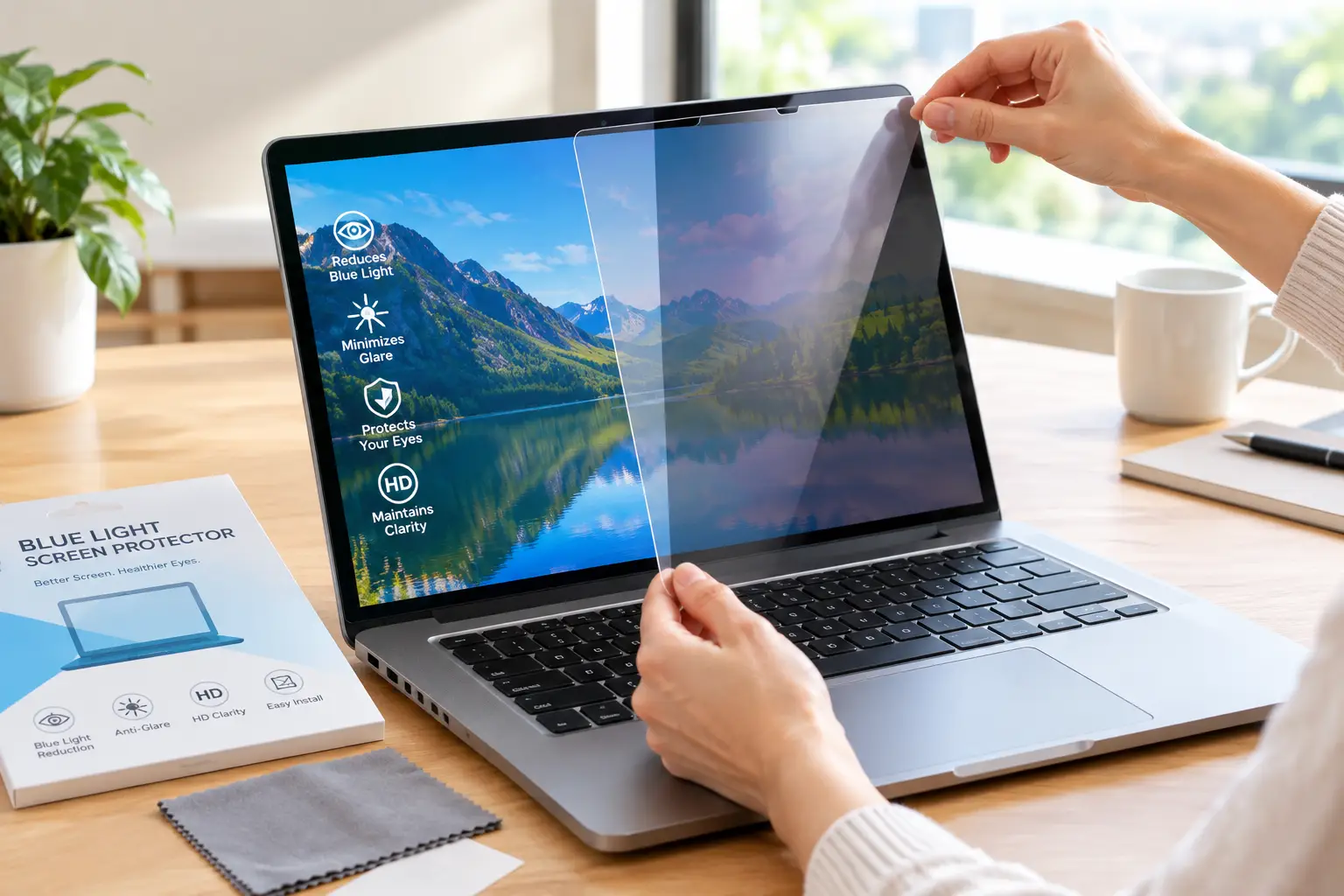
A computer screen guard to protect eyes is a film, panel, or filter placed over a monitor or laptop display to reduce glare, soften reflections, and often filter some blue light. Many also add privacy, scratch protection, or antimicrobial coatings. Its biggest proven comfort benefit is glare reduction.
The Three Main Types You’ll See
- ✅ Adhesive films: Thin sheets that stick directly to the screen. Cheap and discreet, but installation takes patience.
- ✅ Hanging acrylic panels: Rigid sheets that hook over the top bezel of a desktop monitor. No sticky mess, but they add a glossy layer.
- ✅ Frameless filters with tabs or strips: Removable, reusable sheets (often matte) that attach with small clear tabs. The sweet spot for many office users.
Understanding which type you’re buying matters more than any single percentage on the box, because the type determines glare behavior, clarity, and how annoying setup will be.
Quick Comparison: 7 Best Screen Guards at a Glance
| Product | Type | Main Strength | Price Range | Best for |
|---|---|---|---|---|
| Ocushield Anti Blue Light Monitor Screen Protector | Tab-mounted filter | Privacy + anti-glare + blue light | Around $40–$90 by size | Ocushield: remote workers wanting an all-in-one |
| Kensington Anti-Glare and Blue Light Reduction Filter (24″) | Reversible frameless filter | Up to 43% blue light reduction, antimicrobial | Roughly $50–$90 | Kensington Anti-Glare Filter: shared offices |
| 3M Anti-Glare Filter AG15.6W9 | Frameless laptop filter | Proven glare control, reapplies cleanly | Roughly $40–$60 | 3M AG15.6W9: laptop users by bright windows |
| VizoBlueX 23-24 Inch Anti-Blue Light Filter | Hanging acrylic panel | Tool-free, rigid screen shield | Roughly $35–$60 | VizoBlueX: desktop users who hate adhesives |
| BSPROTE 27-28 Inch Blue Light Filter | Hanging acrylic panel | Covers larger 27″ monitors | Roughly $30–$55 | BSPROTE: big-monitor budget shoppers |
| FORITO 15.6 Inch Anti Blue Light Laptop Screen Protector (2-Pack) | Matte adhesive film | Two films, touch compatible | Roughly $15–$25 | FORITO 2-Pack: students on a budget |
| Jous 24 Inch Computer Privacy Screen | Removable privacy filter | Budget privacy + anti-glare | Roughly $20–$35 | Jous Privacy Screen: open-plan offices |
Looking at the table, the real split isn’t “blue light vs. no blue light”; it’s matte versus glossy. The 3M AG15.6W9, Kensington Anti-Glare Filter, and FORITO 2-Pack attack glare directly, while the VizoBlueX and BSPROTE panels are glossy by design, so they protect the screen physically but won’t fix window reflections. If privacy matters, the Ocushield and Jous Privacy Screen add a narrowed viewing angle on top.
💬 One click helps other shoppers make an informed choice too! 😊
Top 7 Computer Screen Guard to Protect Eyes Picks: Expert Analysis
1. Ocushield Anti Blue Light Monitor Screen Protector — optometrist-designed all-in-one filter
The Ocushield Anti Blue Light Monitor Screen Protector stands out because it bundles blue light filtering, privacy, anti-glare, and antibacterial coating into one sheet designed by UK optometrists.
It’s sold in a long list of sizes (from about 12.5″ laptops to 27″ monitors), and Ocushield registers it as a Class 1 medical device with the UK’s MHRA and the FDA. Practically, “Class 1” is a low-risk registration category, not proof that the product cures eye strain, so treat it as a quality signal rather than a medical guarantee. Ocushield says its laptop/monitor filters block up to 99% of emissions between 300 and 400 nm and up to 40% between 400 and 470 nm. Here’s what most buyers overlook: the 300–400 nm range is largely ultraviolet, which monitors barely emit, so the 400–470 nm figure is the more meaningful one.
Based on comparing the specs, this is the pick for remote workers on calls in shared spaces who want one purchase to handle glare and prying eyes.
Aggregated reviews on Best Buy’s listing consistently report more comfortable long sessions, while a recurring complaint is air bubbles during application and some users finding the privacy darkening annoying. Note that several of those reviews were marked as incentivized.
Pros:
- ✅ Combines privacy, anti-glare, and blue light filtering
- ✅ Wide size range for laptops and monitors
- ✅ Antibacterial coating suits shared desks
Cons:
- ❌ Privacy effect dims off-angle viewing for collaborators
- ❌ Application can trap bubbles without care
Expect roughly $40 to $90 depending on size (check the current price); fair value if you’d otherwise buy a separate privacy filter.
2. Kensington Anti-Glare and Blue Light Reduction Filter (24″) — antimicrobial office workhorse
The Kensington Anti-Glare and Blue Light Reduction Filter (24″) is built for offices where screens get touched, shared, and cleaned constantly.
Kensington rates this filter at up to 43% blue light reduction, and its matte side carries an antimicrobial coating tested to the JIS Z 2801 standard against E. coli and Staph. In practice, the matte side is what does the heavy lifting for comfort: it diffuses overhead fluorescent reflections so text stays readable without you tilting your head to dodge hotspots. The reversible design means you can choose matte or glossy depending on your room.
This is the smart choice for hot-desking environments, reception areas, and anyone whose employer already buys Kensington accessories through IT. It fits standard 24″ 16:9 monitors, so double-check your aspect ratio before ordering.
We couldn’t verify a large independent sample of customer reviews for this exact model, so weigh the spec sheet and Kensington’s long track record in office accessories rather than star counts.
Pros:
- ✅ Matte side meaningfully reduces overhead glare
- ✅ Antimicrobial coating tested to a recognized standard
- ✅ Reversible for matte or glossy preference
Cons:
- ❌ Size-specific, so a wrong ratio won’t fit
- ❌ Priced above generic films
Usually lands in the $50 to $90 range; solid value for professional settings where durability and hygiene matter.
3. 3M Anti-Glare Filter AG15.6W9 — clean glare control that reapplies easily
The 3M Anti-Glare Filter AG15.6W9 focuses on doing one job well: killing mirror-like reflections on 15.6″ widescreen laptops.
It measures 345 × 194 mm (about 13.6″ × 7.6″) for 16:9 displays, attaches with optically clear adhesive strips, and can be removed and reapplied many times. That reapplication matters more than it sounds: laptop users constantly move between cafés, trains, and offices, and a filter that peels off cleanly for a client demo won’t become a sticky, bubbled mess by month three. It’s also compatible with most touchscreens.
Here’s what to weigh: 3M’s own description emphasizes glare and scratch protection, not blue light, even though some third-party listings tag it as “anti-blue light.” That honesty is actually a plus, because glare is the part ophthalmologists recognize as a real comfort issue. Choose it if you work near windows.
Detailed independent review data for this model was limited during our research, so we recommend relying on 3M’s established reputation in screen filters and its detailed published specs.
Pros:
- ✅ Strong matte glare reduction for bright rooms
- ✅ Reapplies repeatedly without bubbles
- ✅ Works with most touchscreen laptops
Cons:
- ❌ Minimal blue light filtering claims
- ❌ Costs more than basic matte films
Typically runs about $40 to $60; worth it if you remove and reattach your filter often.
4. VizoBlueX 23-24 Inch Anti-Blue Light Filter — tool-free hanging panel for desktops
The VizoBlueX 23-24 Inch Anti-Blue Light Filter skips adhesives entirely by hanging over your monitor’s top edge like a protective windshield.
The panel measures 21.5″ × 13″ and the brand claims it filters blue light in the 380–495 nm band while blocking UV. Because it’s a rigid acrylic sheet, it also acts as a physical shield against scratches, fingerprints, and toddler “art.” However, the listing itself states it is not an anti-glare screen, which means window reflections won’t disappear and may even gain an extra reflective surface.
Based on comparing the specs, this suits home desktop users with controlled lighting who dislike sticky installs, or families protecting a shared monitor.
Review data needs a caution flag: ReviewMeta’s analysis of the listing’s roughly 1,500 Amazon reviews flagged a large share (about 42%) as potentially unnatural, so treat the overall rating skeptically. Customer comments that do mention benefits often reference reduced glare perception, though results vary by room lighting.
Pros:
- ✅ No adhesive, installs in under a minute
- ✅ Rigid panel physically protects the screen
- ✅ Easy to remove and clean
Cons:
- ❌ Glossy surface doesn’t fix reflections
- ❌ Review ratings may be inflated
Usually priced between $35 and $60; reasonable if physical protection matters as much as filtering.
5. BSPROTE 27-28 Inch Blue Light Filter — big coverage for large monitors
The BSPROTE 27-28 Inch Blue Light Filter targets a gap many brands ignore: affordable coverage for larger 27″ displays.
It’s a hanging panel sized 24.8″ × 14.6″, and the listing explicitly labels it “HD, Not Anti-Glare,” which is refreshingly direct. In practice, that means you keep a crisp glossy image with vivid colors, but you won’t gain any reflection control. Hanging installation also works well on 27″ monitors, where applying a large adhesive film without bubbles is notoriously tricky.
This is a fit for gamers and home users with 27-inch screens in rooms without harsh window glare, who mainly want a scratch shield plus some blue light filtering for evening sessions. If glare is your main pain, look at the matte filters instead.
It appears on Amazon’s best-seller list for computer screen protectors, but we couldn’t verify a trustworthy independent analysis of its reviews, so we can’t summarize customer sentiment with confidence.
Pros:
- ✅ Covers large 27–28″ monitors affordably
- ✅ Glossy clarity preserves color and sharpness
- ✅ No adhesive installation needed
Cons:
- ❌ Explicitly offers no anti-glare benefit
- ❌ Hanging panels may not suit thin-bezel designs
Generally runs about $30 to $55; decent value for big screens if you accept the glossy trade-off.
6. FORITO 15.6 Inch Anti Blue Light Laptop Screen Protector (2-Pack) — budget matte film with a spare
The FORITO 15.6 Inch Anti Blue Light Laptop Screen Protector (2-Pack) gives budget shoppers two matte films for the price of one premium filter.
It’s a matte, anti-glare film sized for 15.6″ 16:9 laptops, and it’s touch sensitive, so 2-in-1 users can keep tapping. The spare is the hidden value: first-time installers often trap dust or bubbles, and having a second sheet turns a frustrating mistake into a do-over. Matte film also reduces fingerprints noticeably.
Honest analysis says this is the student and first-timer pick: ideal if you want to test whether a matte screen improves your comfort before spending more. Keep expectations realistic, since budget matte films can add slight grain on high-resolution text.
FORITO has long ranked among Amazon’s better-known budget blue light protector brands, but we couldn’t confirm a detailed independent review breakdown for this exact 2-pack, so check recent reviews on your specific laptop model.
Pros:
- ✅ Two films allow a mistake-free retry
- ✅ Matte surface cuts glare and fingerprints
- ✅ Keeps touchscreen responsiveness
Cons:
- ❌ Adhesive film is semi-permanent once applied
- ❌ Matte texture may soften very fine text
Usually around $15 to $25; excellent entry-level value.
7. Jous 24 Inch Computer Privacy Screen — affordable privacy for open offices
The Jous 24 Inch Computer Privacy Screen brings privacy, anti-glare, and a blue light filter to shoppers who can’t justify business-grade prices.
It’s a removable filter for 24″ 16:9 monitors with an anti-glare, anti-scratch finish. The privacy layer narrows the viewing angle, so coworkers beside you see a darkened screen, while the matte surface tones down overhead reflections. The practical trade-off: privacy filters dim the image slightly even head-on, so you may nudge brightness up.
Choose it if you handle payroll, patient info, or customer data in an open-plan office, or if you simply work at a coffee-shop counter. Frequent screen-sharers may prefer a non-privacy filter.
Jous is listed as a best seller on major US retail sites, but we couldn’t verify a detailed independent review analysis, so read recent reviews for your monitor size before buying.
Pros:
- ✅ Privacy, anti-glare, and blue light in one
- ✅ Removable design for flexible use
- ✅ Very accessible price point
Cons:
- ❌ Slight brightness loss even straight on
- ❌ Coworkers can’t glance at your screen easily
Typically $20 to $35; strong value if privacy is non-negotiable.
Side-by-Side: Specs, Glare Behavior, and Review Confidence
| Product | Screen Size | Finish | Privacy | Blue Light Claim | Review Confidence | Best for |
|---|---|---|---|---|---|---|
| Ocushield | 12.5″–27″ | Anti-glare | Yes | Up to 40% (400–470 nm) | Moderate (some incentivized) | Ocushield: all-in-one buyers |
| Kensington Anti-Glare Filter | 24″ 16:9 | Reversible matte/glossy | No | Up to 43% | Limited data | Kensington Anti-Glare Filter: offices |
| 3M AG15.6W9 | 15.6″ 16:9 | Matte | No | Not emphasized | Limited data | 3M AG15.6W9: mobile laptop users |
| VizoBlueX | 23–24″ | Glossy | No | 380–495 nm (brand claim) | Low (flagged reviews) | VizoBlueX: adhesive-free desktops |
| BSPROTE | 27–28″ | Glossy | No | Brand claim | Limited data | BSPROTE: large monitors |
| FORITO 2-Pack | 15.6″ 16:9 | Matte | No | Brand claim | Limited data | FORITO 2-Pack: budget first-timers |
| Jous Privacy Screen | 24″ 16:9 | Matte | Yes | Brand claim | Limited data | Jous Privacy Screen: open offices |
The “Review Confidence” column is the one most buying guides skip, and it matters. Only the Ocushield had a readable independent review pattern in our research, and the VizoBlueX listing carries a warning sign from review-analysis tools. Meanwhile, blue light percentages aren’t measured the same way across brands, so the Kensington Anti-Glare Filter‘s 43% and the Ocushield‘s 40% aren’t truly apples to apples.
✨ Don’t miss the right fit for your desk!
🔍 Take your eye comfort to the next level with this carefully curated lineup. Click a highlighted product to check current pricing and availability. These picks will help you get calmer, glare-free workdays you’ll actually notice by Friday!
How to Install Your Screen Guard Without Bubbles (and Keep It Clear)
Installation is where good screen guards go to die. Follow this routine and you’ll skip most first-week regrets.
Before You Start
- Measure the visible screen diagonally, not including the bezel, and confirm the aspect ratio (16:9 vs 16:10). A 24″ 16:10 filter won’t fit a 24″ 16:9 monitor.
- Pick a low-dust room. Bathrooms after a hot shower work surprisingly well, because steam settles airborne dust.
- Power off the display. A black screen reveals every speck.
Installing Adhesive Films (like the FORITO 2-Pack)
- Clean with a microfiber cloth and a screen-safe, ammonia-free cleaner.
- Use the “hinge method”: tape one long edge in position, peel the backing halfway, and smooth outward from the center with a card.
- Push small bubbles to the edge immediately; tiny ones often vanish within 24–48 hours.
Installing Tab or Strip Filters (like the 3M AG15.6W9 or Kensington)
- Attach tabs to the bezel, not the screen, and align the filter before pressing firmly.
- Leave a hair of clearance so the laptop lid still closes.
Maintenance Schedule
- Weekly: Dry microfiber wipe.
- Monthly: Remove reusable filters and clean both sides; 3M’s guidance suggests an ammonia-free glass cleaner on a lint-free cloth and rinsing adhesive strips with water.
- Every 6 months: Check edges for lifting or yellowing.
Common first-30-day mistake: cranking brightness to compensate for a privacy filter. Instead, raise brightness gradually and adjust room lighting first.
Which Screen Guard Fits Your Setup? Three Real-World Scenarios
Specs only make sense in context, so here are three common profiles matched to specific picks.
👩💻 Maya: Hybrid Worker, 9 Hours a Day, Budget Around $60–$90
Maya splits time between home and a coworking space with big windows and strangers at the next table. Her pain points are afternoon glare and people glancing at client files. The Ocushield is the natural fit because it handles glare and privacy together. If she wanted to spend less, the Jous Privacy Screen covers the same bases at roughly a third of the cost, with slightly less refinement.
🎓 Jordan: College Student, 15.6″ Laptop, Budget Under $30
Jordan studies in a bright library and a dorm with an overhead light directly behind his chair. He can’t afford a premium filter and has never installed one. The FORITO 2-Pack makes sense: matte glare control, touch compatibility, and a spare film if the first install goes sideways. If he later carries his laptop to internships and client meetings, upgrading to the removable 3M AG15.6W9 is a logical next step.
👨👩👧 The Rivera Family: Shared 27″ Desktop in the Living Room
This monitor handles homework, streaming, and the occasional sticky-fingered drawing session, but the room has soft, controlled lighting. The priority is protecting the expensive panel without fiddly adhesives. The BSPROTE hanging panel suits the big screen and wipes clean easily. If the family later moves the desk near a sunny window, they’d want a matte option instead, since glossy acrylic won’t reduce reflections.
The takeaway: your room’s lighting should decide matte versus glossy before your budget decides the brand.
Problem → Solution: Fixing the 5 Most Common Screen Guard Complaints
Even a great guard can disappoint if something small goes wrong. Here’s how to fix the issues buyers raise most often.
1. “There are bubbles under my film.”
Solution: Push them outward with a credit card wrapped in microfiber. Dust-caused bubbles won’t disappear; lift that corner with tape, dab the dust away, and reseat it. This is exactly why the FORITO 2-Pack‘s spare sheet is valuable.
2. “My screen looks dimmer.”
Solution: Privacy filters like the Jous Privacy Screen and Ocushield reduce light by design. Raise brightness in small steps, and make sure your room isn’t brighter than your screen, which forces your eyes to keep readjusting.
3. “I still see window reflections.”
Solution: You likely bought a glossy panel. The VizoBlueX and BSPROTE preserve sharpness but don’t diffuse glare. Either rotate the monitor perpendicular to the window or switch to a matte filter like the 3M AG15.6W9.
4. “Text looks slightly grainy.”
Solution: That’s matte texture scattering light. Increase font size or display scaling by 10–25%, or choose a higher-grade matte filter for high-resolution displays.
5. “My eyes still feel tired.”
Solution: A screen guard fixes environmental glare, not blinking habits. Pair it with the 20-20-20 rule (every 20 minutes, look 20 feet away for 20 seconds), sit at arm’s length, and see an eye doctor if symptoms persist, because uncorrected vision is a common culprit.
How to Choose a Computer Screen Guard to Protect Eyes
Choosing well comes down to seven quick decisions, in this order:
- Diagnose your real problem first. If reflections bother you, prioritize matte; if privacy worries you, prioritize a privacy filter. Blue light filtering should be a bonus, not the deciding factor.
- Measure precisely. Get the diagonal of the visible screen and the aspect ratio, because a mismatch leaves exposed edges or a filter that won’t sit flat.
- Match finish to lighting. Bright rooms need matte; dim, controlled rooms can enjoy the crispness of glossy panels.
- Pick a mounting style you’ll tolerate. Frequent travelers need removable tabs; set-and-forget users can handle adhesive film.
- Check touchscreen compatibility. 2-in-1 laptop owners should confirm the filter supports touch, like the 3M AG15.6W9 and FORITO 2-Pack.
- Read blue light claims critically. Percentages aren’t standardized across brands, and UV-range numbers matter little for monitors.
- Judge review quality, not just star counts. Look for recent, detailed reviews mentioning your monitor model.
Following that order keeps you from overpaying for a flashy blue light number while missing the glare fix you actually needed. The workplace angle backs this up: the OSHA Computer Workstations eTool recommends glare filters attached directly to the monitor, with the caveat that they shouldn’t significantly reduce screen visibility, which is a great rule for judging clarity.
Anti Glare Screen Protector for Monitor vs Blue Light Filter for Computer Screen: What Actually Helps
These two terms get used interchangeably on product listings, but they solve different problems.
An anti glare screen protector for monitor uses a matte, lightly textured surface that scatters incoming light. Instead of seeing a sharp reflection of your window or ceiling lights, you see a soft, diffused haze that your eyes can ignore. This directly addresses one of the most recognized causes of visual discomfort at a desk.
A blue light filter for computer screen, on the other hand, uses tinted or coated layers to absorb part of the short-wavelength light the display emits. The AAO’s review of blue light concerns notes several studies suggesting blue-blocking glasses don’t improve digital eye strain symptoms, and recommends breaks instead. Screen filters work on the same principle, so it’s reasonable to expect similar limits.
| Solution | Glare Reduction | Blue Light Effect | Cost | Best for |
|---|---|---|---|---|
| Matte screen guard (e.g., 3M AG15.6W9) | Strong | Minimal | $15–$60 | Bright rooms and windows |
| Glossy blue light panel (e.g., VizoBlueX) | None | Moderate (brand claims) | $30–$60 | Screen protection, dim rooms |
| Built-in night mode | None | Adjustable, free | $0 | Evening use |
| Blue light glasses | None | Varies | $20–$100+ | Not recommended by AAO for strain |
The table makes the verdict clear: for glare, a matte guard beats every alternative, and for evening blue light, your operating system’s free night mode does most of what a tinted panel does. The smartest setup often combines a matte guard with software night mode, rather than paying extra for a heavily tinted filter.
Features That Actually Matter (and Ones That Don’t)
Marketing copy on screen guards is loud. Here’s how to separate signal from noise.
✅ Features That Matter
- Matte anti-glare finish: The single most useful comfort feature for bright rooms.
- Correct aspect ratio and size: A perfect filter that doesn’t fit is useless.
- Reapplicable mounting: Tabs or strips that survive repeated removal extend the product’s life for mobile users.
- Touch compatibility: Essential for 2-in-1 laptops.
- Antimicrobial coating (for shared spaces): Relevant for hot desks, clinics, and classrooms, as with the Kensington Anti-Glare Filter.
- Privacy layer (only if you need it): Great for sensitive work, frustrating for collaboration.
❌ Features That Matter Less Than Advertised
- “Blocks 99% of UV”: Monitors emit negligible UV, so this headline number rarely changes your experience.
- “Blocks 100% of blue light”: Filtering all blue light would dramatically shift colors; big claims usually hide a narrow wavelength test.
- “Anti-radiation”: Monitors don’t emit meaningful ionizing radiation; this is marketing language.
- Vague “medical grade” wording: A registration category isn’t a clinical outcome, as noted with the Ocushield.
Spending your budget on finish, fit, and mounting quality buys more real comfort than chasing the biggest blue light percentage on the box.
Common Mistakes to Avoid When Buying a Screen Guard
A few predictable errors account for most returns and disappointment.
Mistake 1: Buying by screen “size” alone. A 24″ monitor can be 16:9 or 16:10, and the difference is enough to leave a visible gap. Always confirm both numbers.
Mistake 2: Choosing glossy for a sunny room. Glossy panels like the BSPROTE look beautiful in controlled lighting but amplify reflections near windows. If glare is your complaint, go matte.
Mistake 3: Getting privacy you don’t need. Privacy filters reduce brightness and make it harder to share your screen with a colleague. If you rarely handle sensitive data, a plain matte filter is more comfortable.
Mistake 4: Trusting star ratings blindly. Budget categories attract inflated reviews, as review-analysis flags on the VizoBlueX listing illustrate. Read detailed, recent reviews instead of glancing at the average.
Mistake 5: Expecting a filter to replace good habits. No screen guard compensates for sitting too close, skipping breaks, or an outdated prescription.
Mistake 6: Installing in a dusty room. One speck can ruin an adhesive film. Clean thoroughly and install carefully, especially with thin films like the FORITO 2-Pack.
Avoiding these six mistakes will likely do more for your eyes than upgrading from a mid-range guard to a premium one.
Eye Protection Screen Filter for Laptop: What’s Different
Laptops create their own set of challenges, so an eye protection screen filter for laptop needs to be chosen a little differently than a monitor filter.
First, lid clearance matters. A thick hanging panel won’t work on a laptop, and even a film or tab-mounted filter must leave room for the lid to close without pressing on the screen. That’s why slim frameless filters like the 3M AG15.6W9 are popular with road warriors.
Second, laptops move. Your lighting changes from a dim home office to a sunny airport lounge within hours. A matte filter handles this variety better than a glossy one, because it performs consistently across unpredictable lighting.
Third, touchscreens and pens complicate things. If you use a 2-in-1, confirm touch compatibility; the FORITO 2-Pack and 3M AG15.6W9 both list it.
Fourth, privacy is more relevant on the go. Trains, planes, and cafés put strangers inches from your screen, which makes privacy-capable options like the Ocushield (available in laptop sizes) worth considering for travelers.
Finally, MacBooks and thin-bezel laptops leave little room for tabs, so check that the filter includes appropriate mounting options for your model. Measure twice, buy once.
Long-Term Cost and Maintenance
Screen guards look cheap upfront, but lifespan and replacement habits shape the real cost.
Estimated Cost of Ownership Over 3 Years
- Budget adhesive film (FORITO 2-Pack): About $15–$25 upfront. Films can scratch or lift over time, so you may replace once, putting the three-year cost around $30–$50.
- Budget privacy filter (Jous Privacy Screen): About $20–$35, with possible replacement if edges wear, so roughly $40–$70 over three years.
- Hanging panels (VizoBlueX, BSPROTE): About $30–$60, and rigid acrylic often lasts for years if cleaned gently, keeping total cost close to the purchase price.
- Premium filters (Ocushield, Kensington Anti-Glare Filter, 3M AG15.6W9): About $40–$90 upfront, but reusable mounting and sturdier coatings usually mean a single purchase across the three years.
Hidden Costs to Consider
Here’s what the spec sheet doesn’t say: a scratched monitor can cost more than a premium filter to replace, so a guard that protects an expensive display pays for itself if it prevents one accident. On the other hand, if a filter makes text blurry and you compensate by leaning closer, the “savings” come at your posture’s expense.
Maintenance That Extends Lifespan
Use only microfiber cloths and ammonia-free cleaners, avoid paper towels (they can micro-scratch coatings), and store removable filters flat in their sleeve. These small habits often double a filter’s useful life.
Safety, Standards, and What “Certified” Really Means
Screen guards aren’t heavily regulated in the US, which makes it important to read claims carefully.
Registrations vs. Proven Outcomes
The Ocushield holds Class 1 medical device registrations with the MHRA and FDA. Class 1 is the lowest-risk category, and registration means the product meets baseline requirements for that category, not that it’s been clinically proven to reduce eye strain. It’s a meaningful quality signal, but not a medical promise.
Antimicrobial Testing
The Kensington Anti-Glare Filter cites testing to JIS Z 2801, a Japanese standard for measuring antibacterial activity on surfaces. That’s a specific, verifiable claim, which is exactly the kind you want to see.
Third-Party Blue Light Certifications
Some brands reference certification from labs like TÜV Rheinland for low blue light performance. These certifications test emissions and color, which is useful for comparing products, but they still don’t change the scientific consensus that screen blue light isn’t damaging to the eyes.
Workplace Guidance
For employers, OSHA’s computer workstation guidance recommends glare filters as one tool among many, alongside monitor placement, blinds, and task lighting. If you’re outfitting an office, treat screen guards as part of a broader ergonomic setup rather than a standalone fix.
Red Flags
Be wary of “anti-radiation,” “prevents macular degeneration,” or “cures headaches” claims. These go beyond what current evidence supports.
FAQ: Computer Screen Guard to Protect Eyes
❓ Do computer screen guards actually reduce eye strain?
❓ Is an anti-glare screen protector better than a blue light filter?
❓ Will a screen guard make my monitor look blurry?
❓ How do I know what size screen protector to buy?
❓ Are blue light screen protectors worth it for sleep?
Conclusion: The Best Screen Guard Is the One That Fixes Your Real Problem
A computer screen guard to protect eyes works best when you buy it for the right reason. The evidence points to glare, not blue light, as the most fixable part of screen discomfort, so let your room’s lighting guide your choice before any percentage on the packaging does.
For an all-in-one solution that handles glare, privacy, and blue light, the Ocushield is the most complete package. Office teams will appreciate the antimicrobial matte side of the Kensington Anti-Glare Filter, while laptop users who move between bright spaces get dependable glare control from the reapplicable 3M AG15.6W9. If you prefer no adhesives on a desktop, the VizoBlueX and BSPROTE hanging panels protect your screen physically, just remember they’re glossy. On a tight budget, the FORITO 2-Pack is a low-risk way to try matte, and the Jous Privacy Screen delivers affordable privacy for open offices.
Whatever you choose, pair it with better habits: the 20-20-20 rule, an arm’s-length viewing distance, a monitor placed perpendicular to windows, and regular eye exams. A screen guard makes a good setup more comfortable; it can’t replace one.
🚀 Ready for calmer, glare-free screen time?
👀 Pick the guard that matches your lighting and workflow, click a highlighted product to check current pricing and availability, and give your eyes the easier workday they’ve been asking for!
Recommended for You
- Computer Progressive Glasses: 7 Best Picks to Beat Eye Strain 2026
- Anti Glare Reading Glasses: 7 Best Picks That Actually Work (2026)
- 7 Best Computer Glasses With Anti Glare Coating: Top Picks for 2026
Disclaimer: This post contains affiliate links. As an Amazon Associate, I earn from qualifying purchases made through these links, at no additional cost to you.
✨ Found this article helpful? Share it with someone who needs it! 💬🤗