In This Article
If you’ve spent any time scrolling product listings at 11 p.m., squinting at your phone in a dark room, you already know the feeling this article is about: gritty eyes, a dull headache behind your brow, and a nagging sense that your evening screen habit isn’t doing you any favors. That’s the itch that sends most people searching for blue light filters for digital devices in the first place — some way to make hours of laptops, phones, and monitors feel less punishing on the eyes.
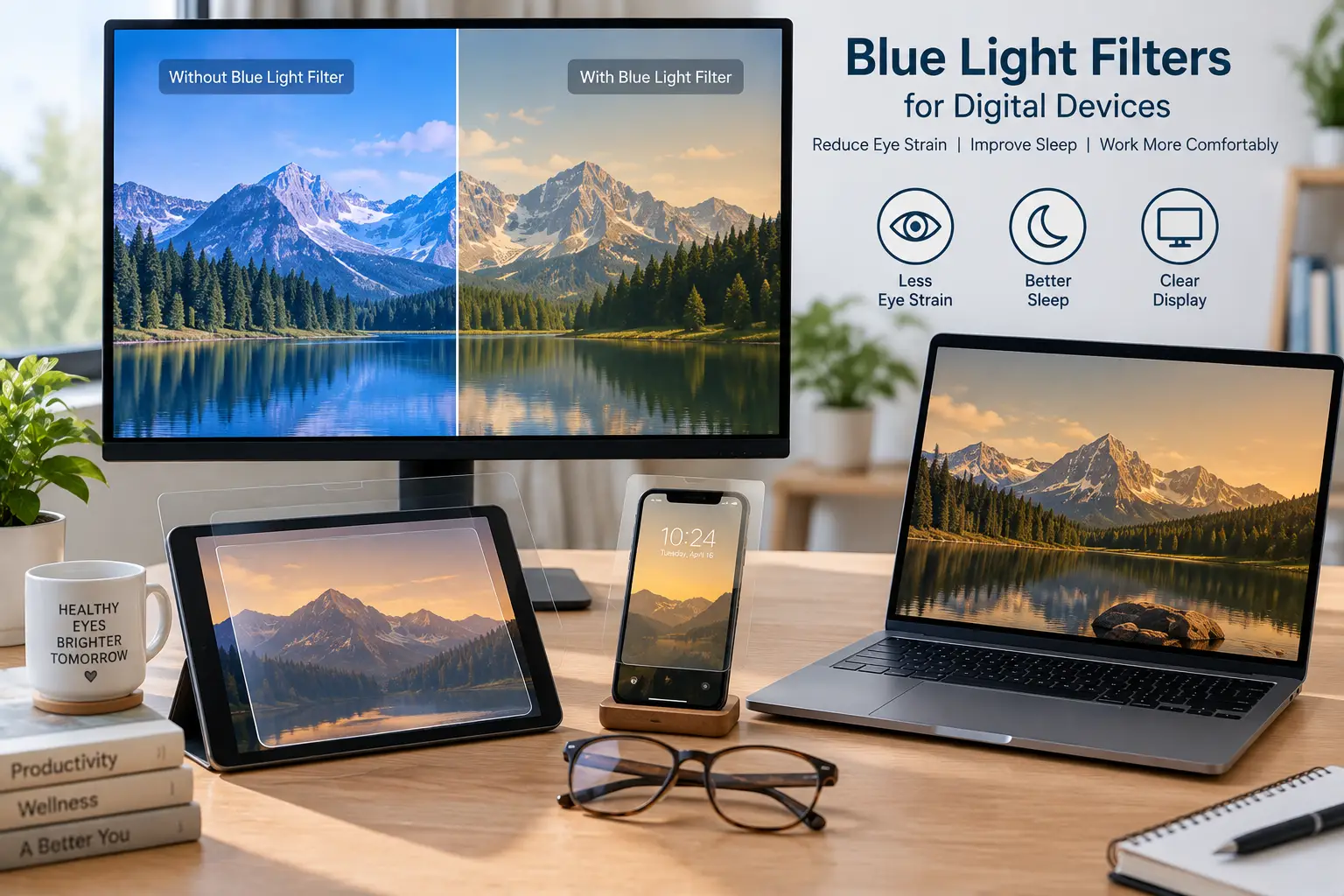
Here’s the honest starting point: a blue light filter for digital devices is any product — glasses, a screen protector film, or software — designed to reduce the amount of high-energy visible (HEV) light between roughly 400 and 500 nanometers that reaches your eyes from a screen, typically by adding a yellow, amber, or specialized coating that absorbs part of that range before it hits your cornea.
This guide skips the marketing hype you’ll find on most product pages. We researched real, currently available products, dug into their actual specs, and pulled in the clinical research — including a major 2023 review that complicates some of the industry’s biggest claims — so you can make a decision based on what’s actually known, not just what sells. You’ll find seven real products spanning budget glasses to advanced lens technology, plus screen protector films for people who’d rather filter the light at the source than wear anything on their face. Whether you’re a night-shift nurse, a remote worker logging ten-hour days, or a parent trying to protect a teenager’s homework-and-gaming marathon, there’s a practical option below — and an honest read on what it will and won’t do.
Quick Comparison: Blue Light Filters for Digital Devices at a Glance
| Product | Type | Best For | Price Range |
|---|---|---|---|
| GUNNAR Vertex | Computer glasses | Gamers & heavy screen users | $35–$50 |
| Benicci Blue Light Blocking Glasses | Computer glasses | Office & everyday wear | $15–$25 |
| livho High Tech Blue Light Glasses | Computer glasses | Best overall value | $10–$20 |
| TIJN Square Nerd Glasses | Computer glasses | Tightest budget | Under $15 |
| Gaoye Round TR90 Glasses | Computer glasses | Style-conscious buyers | $12–$22 |
| MOSISO Monitor Screen Filter | Screen protector | Desktop monitor setups | $20–$35 |
| F FORITO Laptop Screen Protector (2-Pack) | Screen protector | Laptop users who skip glasses | $15–$25 |
Looking at the table, the split between eyewear and screen film matters more than price alone: GUNNAR Vertex and Benicci lead on lens technology and comfort for anyone who’ll wear the same pair for eight-plus hours, while the MOSISO and F FORITO filters suit people who share a screen with others or simply don’t want another pair of glasses on their face. Budget shoppers gravitate toward livho or TIJN first, since both let you try the category for well under the price of a mid-range coffee subscription. We’ll unpack exactly why each pick earns its spot in the sections below.
💬 Ready to stop guessing and start protecting your eyes? Check today’s availability on any pick below! 😊
Top 7 Blue Light Filters for Digital Devices: Expert Analysis
Every product below was selected because it’s a real, currently listed item on Amazon (amazon.com), not a placeholder or a theoretical “best in class.” We’re covering entry-level, mid-range, and higher-end options, plus two non-eyewear alternatives, so you can match the format to how you actually work.
Before the full breakdown, here’s how the seven compare feature-for-feature:
| # | Product | Key Spec | Rating Signal | Best For |
|---|---|---|---|---|
| 1 | GUNNAR Vertex | Patented lens, 35–98% BLPF | Long-running Amazon best-seller in the category | Best for gamers |
| 2 | Benicci Blue Light Blocking Glasses | Classic rectangular frame, 4 colorways | 14,800+ ratings, 4.4-star average | Best for office wear |
| 3 | livho High Tech Blue Light Glasses | Multiple lens tints, clear option | One of the most-reviewed glasses in the category | Best overall value |
| 4 | TIJN Square Nerd Glasses | Lightweight nerd-style frame, 15 colors | Frequently cited as a top budget pick | Best for backup pairs |
| 5 | Gaoye Round TR90 Glasses | TR90 flexible frame, metal arms | Popular round-frame bestseller | Best for style variety |
| 6 | MOSISO Monitor Screen Filter | Anti-UV film, 23–24″ panel sizes | Established screen-protector brand | Best for desktop monitors |
| 7 | F FORITO Laptop Screen Protector | 9-layer blue light filtering film | 2-pack, multiple laptop sizes | Best for laptop-only users |
The pattern here is straightforward: if you’re chasing the most advanced lens engineering, GUNNAR Vertex and Benicci sit at the top, while livho and TIJN win on sheer accessibility if you just want to try the category. For anyone who shares a workstation or hates wearing extra eyewear, MOSISO and F FORITO solve the same underlying problem — reducing screen-emitted HEV light — from the device side instead of your face.
✨ Don’t miss these exclusive deals! 🔍 Take your eye comfort routine to the next level with this carefully curated lineup. Click a highlighted pick to check current pricing and availability. These options will help you get through long screen sessions with less strain on your eyes.
1. GUNNAR Vertex — most advanced lens technology
GUNNAR Vertex built its reputation on something most competitors skip entirely: telling you exactly how much blue light you’re blocking, rather than leaving it a mystery.
The frame uses GUNNAR’s patented lens technology (US Patent #9,417,460) with a documented Blue Light Protection Factor, meaning you can choose a tint — Clear (35%), Amber (65%), or Amber Max (98%) — based on how aggressive you want the filtering to be. In practice, that means daytime office work calls for the lighter Clear tint so colors stay accurate, while late-night gaming sessions or shift work justify stepping up to Amber Max. The dual-sided anti-reflective coating also cuts glare from overhead office lighting, which matters more for perceived comfort than the blue-light filtering itself. GUNNAR Vertex is genuinely built for people who live in front of screens for a living — streamers, competitive gamers, and developers pulling long shifts — because the graduated BLPF system lets you dial in intensity instead of getting a one-size-fits-all tint.
Amazon listings and third-party gear roundups consistently place GUNNAR among the best-known names in this category, with the brand’s glasses appearing repeatedly on Amazon’s own best-seller rankings for computer eyewear; we couldn’t verify a single unified star rating across every style, so treat that as a brand-level signal rather than a specific product guarantee.
Pros:
- ✅ Documented Blue Light Protection Factor by tint
- ✅ Multiple tint options for day vs. night use
- ✅ Dual-sided anti-reflective, anti-scratch coating
Cons:
- ❌ Costs more than most drugstore-style alternatives
- ❌ Amber tints noticeably shift on-screen colors
Expect to pay in the $35–$50 range depending on tint and style; given the documented BLPF and coating quality, it’s a fair trade for anyone using it daily rather than occasionally.
2. Benicci Blue Light Blocking Glasses — best all-day office pair
Benicci Blue Light Blocking Glasses built their following on something simple: a frame that doesn’t look like “computer glasses” at all.
The classic rectangular silhouette is designed to read as ordinary eyewear across professional settings, age groups, and face shapes, which matters if you’re wearing these on video calls or in a client-facing office rather than gaming solo at home. Each pair ships with a protective case, a cleaning cloth, and — notably — a lens tester card, a small accessory that lets you visually confirm the lenses are filtering blue light rather than just taking the brand’s word for it. That transparency gesture is uncommon at this price tier and worth calling out on its own merits. Benicci is the pick for someone who wants one unfussy pair to keep at their desk indefinitely, not a specialized gaming accessory, and the four available colorways give a bit of room to match personal style without overwhelming the decision.
With more than 14,800 ratings and a 4.4-star average on Amazon, Benicci has real, sustained purchase volume behind it — a meaningfully larger review base than most competitors in this list, which gives its aggregate rating more statistical weight even if individual experiences vary.
Pros:
- ✅ Included lens tester card for visual verification
- ✅ Professional frame that suits office settings
- ✅ Large, sustained review base (14,800+ ratings)
Cons:
- ❌ Frame style is more conservative than gaming-oriented options
- ❌ No graduated BLPF tint system like premium brands
Priced around $15–$25, Benicci delivers strong value precisely because the review volume gives buyers more confidence than a newer, thinly reviewed competitor could offer at the same price.
3. livho High Tech Blue Light Blocking Computer Glasses — best overall value
livho High Tech Blue Light Blocking Computer Glasses earn their spot by being, by several independent counts, among the most-reviewed blue light glasses sold anywhere — a volume signal that’s hard to fake.
The lineup includes clear lenses (for daytime, color-accurate work) and tinted options, plus multiple protection levels depending on the style chosen, which lets buyers match the glasses to their actual screen habits instead of accepting a single fixed tint. Reviewers and independent testers have flagged that its average star rating trails a couple of pricier competitors, which is a plausible side effect of having an enormous volume of ratings pulling the average toward the middle rather than a sign the product underperforms outright. What most buyers overlook with an ultra-popular budget pick like this is that huge review counts, even with a slightly lower average, often indicate broad real-world reliability — a product that disappoints often doesn’t sustain thousands of repeat purchases. livho suits shoppers who want the safest default choice simply because so many other people have already tested it at scale.
Independent buying guides that tested multiple blue light glasses side by side have repeatedly named livho an “overall pick,” citing lens clarity and the range of protection levels as the deciding factors over flashier but less-proven competitors.
Pros:
- ✅ Enormous, verifiable review volume
- ✅ Multiple lens tints and protection levels
- ✅ Reliable go-to pick per independent buying guides
Cons:
- ❌ Average rating trails a few premium competitors
- ❌ Frame styles skew utilitarian rather than fashion-forward
At roughly $10–$20, livho is arguably the easiest entry point into the category — low financial risk with a genuinely large base of real purchasers behind it.
4. TIJN Square Nerd Blue Light Blocking Glasses — tightest budget
TIJN Square Nerd Blue Light Blocking Glasses exist for one clear purpose: getting you into a pair of blue light glasses for as little money as possible.
The nerd-style square frame comes in roughly fifteen colors, which makes these a sensible pick if you want a backup pair for your bag, your car, or a second desk — somewhere you don’t want to risk losing an expensive pair. One important technical note buying guides consistently raise: blue light can leak around the sides of lenses if the frame or lens area is too small, effectively nullifying part of the filtering benefit, so a thicker frame with larger lenses that sit close to the eyes — which TIJN‘s nerd-style shape provides — actually works in its favor here rather than being purely a style choice. TIJN is best suited to first-time buyers testing whether the habit sticks, students who lose glasses easily, or anyone stocking multiple stations (home office, second monitor setup, travel bag) without a meaningful financial commitment at each spot.
Reviews aggregated across major retail buying guides consistently describe TIJN as a reliable budget starter pick, frequently highlighted for its low cost and broad color selection rather than for advanced lens engineering — an honest trade-off for the price point.
Pros:
- ✅ Under $15 with multiple color options
- ✅ Frame shape helps reduce blue light leakage at the edges
- ✅ Low-risk way to test the category
Cons:
- ❌ Single frame shape limits style variety
- ❌ No documented Blue Light Protection Factor rating
At under $15, TIJN offers the lowest financial barrier on this list — a genuinely sound value pick if your goal is simply to try blue light glasses before committing to a pricier pair.
5. Gaoye Round TR90 Blue Light Blocking Glasses — best for style variety
Gaoye Round TR90 Blue Light Blocking Glasses target buyers who want their blue light glasses to double as an actual fashion accessory rather than an obvious “computer glasses” giveaway.
The TR90 frame material is flexible and lightweight, built to resist the cracking that cheaper plastic frames develop after repeated folding, and the metal temple arms add a bit of durability where budget frames typically fail first. Gaoye’s catalog spans round, square, and other silhouettes across several colorways, including patterned options like tortoiseshell and leopard print, so the practical filtering function comes bundled with genuine design choice — something that matters if you’ll be wearing these in public, not just at a home desk. Gaoye works well for buyers who’ve already decided they want blue light protection and are now shopping primarily on look and comfort rather than lens specs, since the brand doesn’t publish a documented BLPF the way GUNNAR does.
Amazon’s own best-seller rankings for computer blue light blocking glasses have repeatedly featured multiple Gaoye styles simultaneously, a sign of consistent demand across its various frame shapes rather than a single hit product carrying the brand.
Pros:
- ✅ Flexible, durable TR90 frame material
- ✅ Wide range of shapes and colorways
- ✅ Comes with a matching soft case
Cons:
- ❌ No published Blue Light Protection Factor
- ❌ UV protection claims aren’t independently lab-verified in public listings
Typically priced around $12–$22, Gaoye is a solid value pick specifically for buyers who weigh appearance as heavily as function.
6. MOSISO Computer Blue Light Blocking Screen Protector — best for desktop monitors
MOSISO Computer Blue Light Blocking Screen Protector flips the approach entirely: instead of putting a filter on your face, it puts one directly over your monitor.
This anti-UV filter film is sized for 23–24 inch widescreen monitors and installs as a panel over the existing screen, filtering blue light and glare at the source before light ever reaches anyone looking at that display — which matters if multiple people share the same desktop, since a screen filter protects everyone in the room, not just the wearer. The panel format also means zero adjustment period; there’s no frame to get used to and no lenses to keep clean throughout the day, just a one-time installation. MOSISO is the practical choice for shared workstations, family desktops, or anyone who finds glasses uncomfortable during long sessions but still wants to reduce the amount of HEV light coming off a specific screen.
Customer feedback on screen-protector-style blue light filters in this category consistently centers on ease of installation and whether the panel introduces visible glare of its own; buyers who report satisfaction tend to emphasize that a properly sized panel is close to invisible once installed, while mismatched sizing is the most commonly cited complaint.
Pros:
- ✅ Filters an entire monitor for every viewer at once
- ✅ No lenses or frames to adjust to
- ✅ One-time install, no daily maintenance
Cons:
- ❌ Fixed to one monitor size — won’t travel with you
- ❌ Doesn’t protect your eyes from phone or tablet screens
Expect to spend around $20–$35 depending on panel size; for a shared desktop setup, that’s a reasonable one-time cost compared to buying glasses for every person who uses the screen.
7. F FORITO Anti Blue Light Laptop Screen Protector (2-Pack) — best for laptop-only users
F FORITO Anti Blue Light Laptop Screen Protector is built specifically for people whose primary screen time happens on a laptop, not a desktop monitor or a phone.
The film uses what the brand describes as 9-layer blue light filtering technology while also functioning as an anti-glare, anti-reflective, anti-scratch, and anti-fingerprint layer — meaning you’re getting several practical laptop-care benefits bundled with the blue light filtering, not just one narrow feature. It’s compatible with most 15.6-inch and 14-inch laptops with a 16:9 aspect ratio across major brands including Acer, HP, Lenovo, Dell, and ASUS, and ships as a 2-pack, so a mistake during the bubble-free installation process doesn’t mean you’re out of luck. F FORITO makes the most sense for students and remote workers whose laptop is genuinely their only screen for hours at a stretch, and who’d rather solve eye comfort at the device level than commit to wearing glasses they don’t otherwise need.
Reviews on comparable multi-layer laptop screen films tend to converge on two consistent themes: buyers are satisfied with the reduction in glare and reflections under office lighting, while the most common complaint is imprecise sizing relative to a specific laptop model — underscoring why measuring your exact screen dimensions before ordering matters more here than with glasses.
Pros:
- ✅ 9-layer filtering plus anti-glare and anti-scratch protection
- ✅ 2-pack accounts for installation mistakes
- ✅ Wide laptop brand and size compatibility
Cons:
- ❌ Sizing must match your exact laptop model
- ❌ Doesn’t help with phone or external monitor use
At around $15–$25 for two protectors, F FORITO delivers solid value for laptop-first users, especially compared to buying and adjusting to a pair of glasses you’d only wear at one device.
What Is a Blue Light Filter for Digital Devices?
A blue light filter for digital devices is any physical or digital tool — tinted glasses, a screen protector film, or built-in device software — that reduces the amount of high-energy visible light (roughly 400–500 nanometers) reaching your eyes from a screen, typically by absorbing or reflecting part of that range before it hits your cornea.
The category splits into three practical forms. Eyewear-based filters, like the GUNNAR Vertex or livho glasses above, use tinted or coated lenses worn over your eyes regardless of which device you’re looking at. Screen-based filters, like the MOSISO or F FORITO panels, are physical films applied directly to a monitor or laptop screen. Software filters — built into iOS Night Shift, Android’s Night Light, and Windows’ Night Light — shift the screen’s own color output toward warmer tones and cost nothing beyond a few taps in your settings, though they only affect the device they’re installed on and don’t help with glare or general eye comfort the way physical filters do.
Does Blue Light Actually Damage Your Eyes? What the Science Really Says
This is where honesty matters more than sales copy, and it’s worth addressing directly before recommending anything further. According to the American Academy of Ophthalmology, there is no scientific evidence that light coming from digital screens damages the eyes, and the organization does not recommend special eyewear for computer use on that basis. The AAO attributes most “digital eye strain” symptoms — dryness, fatigue, blurred vision — to a documented drop in blink rate when people focus on close-up screens, not to blue light exposure itself.
That position is backed by a rigorous 2023 Cochrane systematic review of 17 randomized controlled trials, which concluded that blue-light filtering spectacle lenses probably make no meaningful difference to short-term eye strain, visual performance, or sleep quality compared to non-filtering lenses, and that the amount of blue light reaching the eyes from a screen is a small fraction of daylight exposure.
So why do this article, or these products, matter at all? Two honest reasons. First, sleep and circadian effects are a separate question from eye strain, and the evidence there is more established: Harvard Health Publishing reports that blue light suppresses melatonin roughly twice as long as comparable green light exposure in controlled studies, which is a legitimate reason to dim screens or filter blue light in the hours before bed, independent of any eye-strain claim. Second, many users genuinely report subjective comfort improvements from tinted lenses or anti-glare films — plausibly from reduced glare and brightness rather than blue light filtering specifically — and there’s little downside to trying an inexpensive pair if it makes your evening screen time feel better, as long as you’re not expecting it to prevent disease or replace basic screen-use habits.
How to Choose a Blue Light Filter for Digital Devices
- Identify your primary device. If you’re mostly on a laptop, a laptop screen protector like F FORITO solves the problem directly; if you split time across phone, tablet, and monitor, glasses like GUNNAR Vertex or Benicci travel with you regardless of device.
- Decide if you need a documented protection level. Brands like GUNNAR publish an exact Blue Light Protection Factor by tint; budget brands like TIJN and Gaoye typically don’t, which is a reasonable trade-off if cost matters more than precision.
- Match the tint to your use case. Clear or lightly tinted lenses suit daytime color-accurate work; amber or darker tints suit evening use when color accuracy matters less than comfort.
- Check frame coverage, not just lens quality. Larger lenses that sit close to your face limit blue light leaking around the sides — a detail smaller “fashion” frames sometimes sacrifice.
- Consider who else uses the screen. A shared desktop favors a screen protector like MOSISO, which filters light for every viewer, over personal eyewear that only helps the wearer.
- Set expectations around sleep, not just eye strain. If your main goal is better sleep after screen use, prioritize evening tint depth and pair the filter with reduced screen time before bed — the two work better together than either alone.
- Buy an inexpensive pair first if you’re unsure. Given the mixed clinical evidence on eye strain specifically, starting with a budget option like livho or TIJN lets you test personal comfort before investing in premium lens technology.
Blue Light Blocking Glasses vs. Screen Protectors vs. Software Filters
| Factor | Glasses | Screen Protectors | Software Filters |
|---|---|---|---|
| Covers all devices | Yes, if worn consistently | No, one screen only | No, per-device setting |
| Protects other viewers | No | Yes | No |
| Upfront cost | $10–$50 | $15–$35 | Free |
| Alters on-screen colors | Sometimes (tinted lenses) | Minimal | Yes, warms whole display |
| Best paired with | Frequent multi-device users | Shared or fixed workstations | Anyone, as a free baseline |
The analysis here is fairly clear-cut: software filters like Night Shift cost nothing and are worth enabling regardless of what else you buy, since they require zero hardware and directly address the evening-light exposure that has the strongest research backing. Glasses like GUNNAR Vertex make more sense if you genuinely move between devices throughout the day, while a fixed installation like MOSISO is the more efficient choice for a desktop that multiple people use. In practice, most heavy screen users get the best result stacking all three rather than picking just one.
📱 Not sure which format fits your setup? Compare today’s pricing on a laptop protector or a pair of glasses and see what feels right for your routine.
Common Mistakes to Avoid When Buying Blue Light Filters for Digital Devices
Buyers new to this category tend to repeat the same handful of errors, and most of them are easy to avoid once you know what to look for.
The first is assuming a darker tint automatically means better protection — amber and darker lenses do filter more of the blue spectrum, but they also distort color accuracy in ways that matter for design work, photo editing, or color-critical tasks, so matching tint depth to your actual use case matters more than maximizing it. The second is buying a screen protector without measuring the exact screen dimensions first; both MOSISO and F FORITO ship in multiple sizes precisely because a mismatched panel either won’t cover the full screen or won’t fit the bezel correctly. The third mistake is expecting any single product to eliminate digital eye strain entirely — as the AAO’s research indicates, blink rate and screen distance play a larger role in strain symptoms than blue light exposure, so a filter works best alongside the 20-20-20 rule (every 20 minutes, look at something 20 feet away for 20 seconds) rather than as a standalone fix. Finally, buyers frequently overlook frame coverage on cheap glasses — a stylish but narrow frame can leave gaps around the lens edges where unfiltered light still reaches the eye, undercutting the product’s core purpose.
Getting Started: Breaking In and Maintaining Your Blue Light Filter
Whichever format you choose, a short adjustment period is normal, and a little maintenance keeps the filtering effective over time.
If you’ve bought tinted glasses like GUNNAR Vertex or Benicci, expect one to three days of mild color shift as your eyes adjust, especially with amber or darker tints; wearing them consistently rather than on and off speeds up that adjustment. Clean lenses with the included microfiber cloth rather than paper towels or clothing, since rougher materials can introduce fine scratches that scatter light and reduce clarity over months of use. For screen protectors like MOSISO or F FORITO, install in a dust-free environment (a freshly cleaned bathroom works surprisingly well) and use the included squeegee tool immediately to push out air bubbles before the adhesive sets — waiting even a few minutes makes bubbles significantly harder to remove. In the first 30 days, avoid the common mistake of over-tightening glasses temple arms to “customize” fit without professional adjustment, which can misalign the lens angle relative to your eyes and reduce the filter’s effective coverage. For screen films, resist the urge to press hard on the surface while cleaning; a slightly damp microfiber cloth with light pressure is enough, and abrasive cleaners can degrade the anti-glare coating faster than normal wear would.
Real-World Scenarios: Matching the Right Filter to Your Life
The remote software developer. Maya works ten-hour days across a laptop and two external monitors, often past sunset. For her, a documented-BLPF option like GUNNAR Vertex in the Amber tint makes sense for evening coding sessions, paired with a free software night mode during the day — the graduated tint system lets her stay color-accurate for daytime design reviews while dialing up filtering after dark.
The budget-conscious college student. Jake shares a dorm room, doesn’t want to spend much, and mostly studies on a 14-inch laptop. TIJN‘s under-$15 price point removes the financial risk of testing the category, and if he later decides he wants a laptop-specific solution instead, F FORITO‘s 2-pack laptop protector is a natural next step that also guards against scratches in a shared living space.
The family with a shared home office desktop. The Ortega family has three people using one 24-inch monitor throughout the day. Buying individual glasses for everyone gets expensive and inconsistent, so a MOSISO screen protector filtering the display itself covers every user automatically, regardless of who’s sitting at the desk.
Choosing the Right Filter for Each of Your Digital Devices
Different devices call for different formats, and it’s worth thinking through your actual device mix before buying. For phones, only eyewear or a device-level night mode setting helps, since phone-specific screen protectors marketed for blue light filtering are far less consistently effective than glasses or laptop/monitor films, which cover a larger, closer viewing surface. For laptops, a dedicated protector like F FORITO is efficient since the device rarely changes hands or locations. For desktop monitors, especially shared ones, a panel like MOSISO protects every viewer without requiring anyone to remember to put on glasses. For gaming setups specifically — often involving a monitor plus a phone or second screen nearby — glasses with a documented protection factor like GUNNAR Vertex cover the widest range of simultaneous screens without needing separate protectors for each device.
Problem → Solution: Fixing Common Digital Eye Strain Complaints
Problem: Eyes feel dry and gritty by early afternoon. This is most often a blink-rate issue rather than a blue-light one, per AAO guidance — pair any filter with the 20-20-20 rule and consider artificial tears if dryness persists beyond a few weeks.
Problem: Trouble falling asleep after late-night screen use. This has the strongest research backing among all blue-light claims. Combine an amber-tinted option like GUNNAR Vertex‘s Amber Max setting with reducing screen use in the hour before bed, rather than relying on either alone.
Problem: Glare from overhead office lighting makes screens hard to read. An anti-reflective coating matters more here than blue-light filtering specifically; both GUNNAR Vertex and the MOSISO screen panel include anti-glare properties that address this directly.
Problem: Headaches during long gaming sessions. Check screen distance and viewing angle first — sitting too close is a common contributor — then layer in a documented-BLPF option and scheduled breaks rather than assuming lenses alone will resolve it.
Problem: Shared family screen causing complaints from multiple people. Individual glasses don’t scale well here; a monitor-level filter like MOSISO addresses the display itself so no one has to remember to grab a specific pair.
Features That Actually Matter (and Ones That Don’t)
Cutting through the marketing noise: a documented Blue Light Protection Factor, like GUNNAR publishes, actually matters, because it lets you compare filtering strength across products instead of trusting an unverified marketing claim. Frame or panel coverage matters too — larger lenses and correctly sized screen films leave fewer gaps for unfiltered light to slip through. Anti-glare coating matters for comfort even though it’s a separate feature from blue-light filtering itself, since glare reduction is one of the more consistently reported comfort benefits across user reviews.
What matters far less than marketing suggests: claims of “100% blue light blocked,” since fully blocking the visible blue spectrum would noticeably distort colors to the point of being impractical for most screen work, and any product claiming this without also warning about color shift deserves skepticism. Similarly, claims that a filter alone will “prevent macular degeneration” or “cure eye strain” go beyond what current research, including the AAO and Cochrane findings above, actually supports — treat those specific disease-prevention claims as unverified marketing rather than an established benefit.
Long-Term Cost and Maintenance
A single budget pair like TIJN or livho typically lasts one to two years of daily wear before frame fatigue or scratched lenses reduce effectiveness, putting the annualized cost well under $15 a year. Premium options like GUNNAR Vertex cost more upfront but tend to hold coating quality longer with proper care, often lasting two to three years of daily use, which narrows the effective annual cost gap between budget and premium tiers more than the sticker price alone suggests.
| Option | Typical Lifespan | Approx. Annual Cost |
|---|---|---|
| TIJN / livho (budget glasses) | 1–2 years | Under $15/year |
| Benicci / Gaoye (mid-range glasses) | 1.5–2.5 years | $8–$15/year |
| GUNNAR Vertex (premium glasses) | 2–3 years | $15–$20/year |
| MOSISO / F FORITO (screen film) | 1–2 years | $10–$20/year |
Reading the table, the real takeaway is that annualized cost differences across every tier are small — often under $10 a year — which means the decision should hinge on comfort, frame style, and device coverage rather than trying to optimize for the cheapest long-term option.
Safety, Regulations, and Standards
Blue light filtering products are lightly regulated in the United States compared to medical devices. The FTC’s endorsement and advertising guidance has increasingly scrutinized health claims in this category, since manufacturers aren’t required to substantiate specific medical benefits like eye disease prevention the way pharmaceutical claims must be substantiated, which is part of why this guide avoids repeating unverified disease-prevention marketing. For UV protection specifically, look for glasses that separately state UV400 protection rather than assuming blue-light filtering automatically includes it — they’re distinct wavelength ranges filtered by potentially different lens treatments. Screen protector films sold for laptops and monitors aren’t subject to a dedicated federal blue-light standard, so sizing accuracy and installation quality matter more for real-world performance than any regulatory certification currently printed on the packaging.
Frequently Asked Questions
❓ Do blue light filters for digital devices actually reduce eye strain?
❓ What's the difference between blue light glasses and a screen protector?
❓ Can I buy blue light filters for digital devices without a prescription?
❓ Do blue light filters help with phone screens too?
❓ How long does a blue light screen protector typically last?
Conclusion
The honest answer on blue light filters for digital devices is more nuanced than most product pages let on: the clinical evidence for reducing daytime eye strain is weak, but the evidence for blue light’s effect on evening melatonin and sleep timing is considerably stronger, and plenty of users simply find tinted lenses or anti-glare films more comfortable regardless of the underlying mechanism. If you want the most flexibility across devices, GUNNAR Vertex‘s documented protection tiers make it the strongest all-around pick, while Benicci and livho offer nearly the same day-to-day comfort at a lower price for anyone testing the category for the first time. If you’d rather solve the problem at the screen instead of your face, MOSISO and F FORITO do that job well for monitors and laptops respectively, especially in shared households. Pair whichever option you choose with basic screen-use habits — the 20-20-20 rule, reduced brightness in the evening, and genuine breaks — since no filter fully replaces those fundamentals. Start with a budget pick if you’re unsure the habit will stick, and upgrade once you know what actually works for your eyes.
👉 Ready to give your eyes a break? Check current availability on today’s top pick and start your next screen session more comfortably.
Recommended for You
- Blue Light Filter Contact Lenses: 7 Honest Picks for 2026
- Can Blue Light Glasses Help with Headaches? 7 Best Glasses to Try
- Blue LED Lamp: 7 Best Blue Light Therapy Picks for Clear Skin (2026)
Disclaimer: This post contains affiliate links. As an Amazon Associate, I earn from qualifying purchases made through these links, at no additional cost to you.
✨ Found this article helpful? Share it with someone who needs it! 💬🤗