
In This Article
What Is a Computer Screen Cover for Eyes?
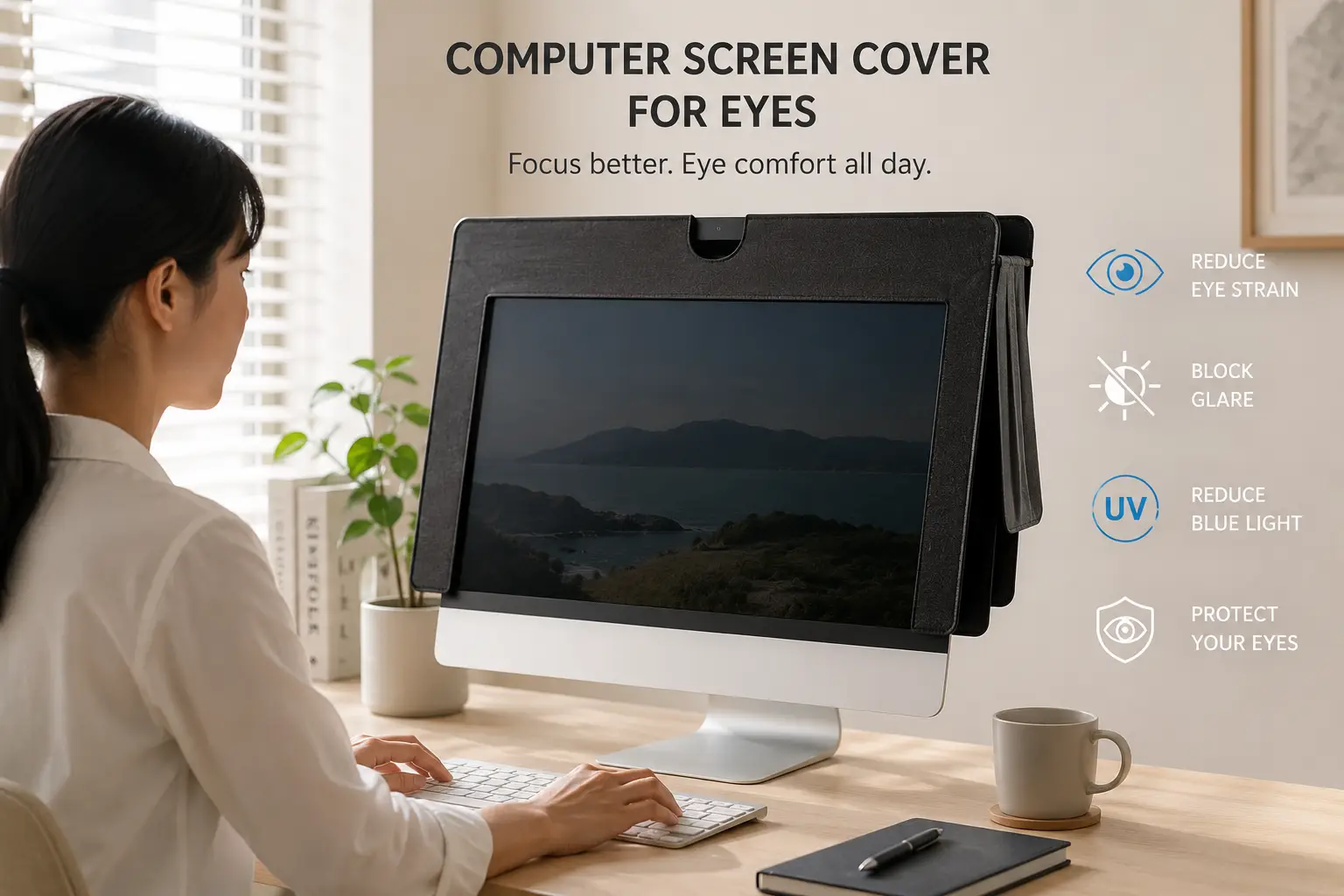
A computer screen cover for eyes is generally a physical screen accessory designed to make viewing a computer display more comfortable by reducing glare, reflections, excessive brightness, or other visual distractions. These products are commonly sold as monitor filters, anti-glare screen protectors, privacy filters, blue-light filtering screen protectors, or magnetic screen covers.
The term “screen cover for eyes” can be slightly misleading because the cover itself does not protect the eyes in the same way that sunglasses protect against intense outdoor light. Instead, the purpose of a quality screen filter is to modify the optical characteristics of the display so that the user experiences fewer reflections and less distracting glare.
This can be particularly useful for people who spend several hours working in front of a desktop monitor. Bright windows, ceiling lights, desk lamps, and other reflective surfaces can appear on a glossy screen, forcing the user to constantly adjust the viewing angle or increase the monitor’s brightness. A matte or anti-glare screen cover can reduce some of those reflections and create a more consistent viewing experience.
Some computer screen cover for eyes products also incorporate blue-light filtering. These products are designed to reduce a portion of short-wavelength visible light emitted by a display. However, blue-light filtering should not be confused with a guarantee of preventing eye disease or eliminating digital eye strain. For many users, factors such as screen brightness, viewing distance, room lighting, blinking, and taking regular breaks are equally important.
Privacy filters are another category. They are designed primarily to narrow the viewing angle so that the person sitting directly in front of the monitor can see the display more clearly than people sitting to the side. Although their primary purpose is privacy rather than eye comfort, some models also include anti-glare or blue-light-filtering properties.
The best choice therefore depends on the problem you are actually trying to solve. If reflections are the problem, look for an anti-glare filter. If people around you can see confidential information, a privacy filter may be more useful. If you want a combination of features, a multi-purpose screen filter may provide a better overall solution.
This guide compares seven popular screen-filter options and explains their construction, installation method, viewing experience, glare reduction, privacy features, compatibility, and everyday usability.
Quick Comparison: Best Computer Screen Covers for Eyes at a Glance
| Product | Type | Main Feature | Best For | Approx. Price |
|---|---|---|---|---|
| 3M Anti-Glare Filter | Anti-glare filter | Glare reduction | Office monitors | $30–$70 |
| 3M Bright Screen Privacy Filter | Privacy + glare filter | Privacy protection | Work computers | $40–$100 |
| Vintez Blue Light Blocking Screen Protector | Blue-light filter | Blue-light reduction | Long screen sessions | |
| MOSISO Computer Monitor Privacy Screen | Privacy filter | Side-angle privacy | Offices & shared spaces | |
| F FORITO Anti-Blue Light Screen Protector | Blue-light filter | Screen filtering | Desktop users | |
| SightPro Privacy Screen | Privacy + anti-glare | Multi-purpose protection | Business monitors | |
| Klearlook Monitor Privacy Filter | Privacy filter | Magnetic installation | Home & office |
The important thing to understand is that these products don’t all solve the same problem.
An anti-glare screen filter is primarily designed to reduce reflections from surrounding light sources. A privacy filter is designed to restrict side-angle visibility. A blue-light filtering screen protector modifies the spectrum of light coming from the display.
Some products combine two or more of these features.
That makes the buying decision much easier if you identify your primary concern before looking at the product specifications.
For example, someone working beside a bright window may benefit most from an anti-glare filter. Someone working with confidential spreadsheets in an open office may prefer a privacy filter. Someone who wants multiple features in one accessory may prefer a hybrid design.
💬 Bookmark this comparison — choosing the right screen cover starts with identifying whether you need glare reduction, privacy, blue-light filtering, or a combination of features.
Top 7 Computer Screen Covers for Eyes: Detailed Product Descriptions
1. 3M Anti-Glare Filter — Best Overall for Reducing Reflections
The 3M Anti-Glare Filter is designed for people whose primary complaint is screen reflection. Instead of changing the computer itself, the filter adds an optical layer between the user’s eyes and the display that helps diffuse reflected light.
This can be particularly useful in offices where monitors are positioned near windows or under bright overhead lighting. A glossy display can behave almost like a mirror under certain lighting conditions, reflecting windows, lamps, and other objects directly into the user’s field of view. When those reflections become distracting, users may unconsciously change posture or viewing angle to compensate.
An anti-glare filter provides a more consistent surface that can reduce the intensity of those reflections.
The 3M name is also useful for workplace buyers who need a recognizable manufacturer rather than an unknown screen accessory brand. Different 3M filters are available in different sizes and configurations, so checking the exact monitor dimensions is essential before purchasing.
Installation varies depending on the specific filter. Some are designed to attach directly to the display, while others use mounting tabs or other attachment systems.
The key advantage is that the filter addresses a very specific problem: reflected light.
If your monitor is otherwise comfortable to view but becomes difficult to see because of a nearby window or overhead lighting, this is the type of computer screen cover for eyes that makes the most sense.
Pros:
- Designed specifically for glare reduction
- Useful in bright offices
- Helps reduce distracting reflections
- Available for multiple screen sizes
- Established manufacturer
Cons:
- Does not automatically solve all forms of eye strain
- May slightly alter screen appearance
- Must be matched to monitor dimensions
For users whose main problem is glare rather than privacy, an anti-glare screen filter is often the most logical starting point.
2. 3M Bright Screen Privacy Filter — Best for Office Work
The 3M Bright Screen Privacy Filter combines privacy protection with optical filtering features, making it particularly useful for people working with sensitive information in shared environments.
A conventional monitor can be viewed from a fairly wide angle. That means someone sitting next to you on a train, in an office, or at a nearby desk may be able to see what’s displayed on your screen.
A privacy filter changes that viewing experience by narrowing the effective viewing angle. The person sitting directly in front of the monitor can still see the content, while people positioned to the side see a significantly darker or less readable image.
This makes the product useful for employees handling customer information, financial documents, internal company data, or other confidential content.
Because the filter is positioned directly over the screen, it can also reduce certain reflections depending on the specific model.
The important distinction is that privacy is its primary purpose. If you’re buying a computer screen cover for eyes solely because your eyes feel tired, a dedicated anti-glare solution may be more appropriate.
But if privacy and glare reduction are both concerns, a combination filter can provide greater overall value.
Pros:
- Adds screen privacy
- Useful in shared workspaces
- Can reduce distracting reflections
- Professional appearance
- Suitable for business environments
Cons:
- More expensive than basic anti-glare films
- Side viewing becomes intentionally darker
- May slightly affect brightness and color perception
For office workers who need both privacy and a more controlled viewing experience, a 3M privacy filter is a practical choice.
3. Vintez Blue Light Blocking Screen Protector — Best for Blue-Light Filtering
The Vintez Blue Light Blocking Screen Protector focuses on a different aspect of display viewing: filtering a portion of blue light emitted by the screen.
Blue-light filtering accessories have become popular among people who spend long periods looking at computers, especially in the evening. The concept is straightforward: a filtering layer changes the amount or spectrum of short-wavelength visible light reaching the viewer.
However, it is important not to overstate what a blue-light filter does.
A computer screen cover for eyes with blue-light filtering properties should not be treated as a medical treatment or guaranteed solution for eye strain. Digital eye discomfort can have multiple causes, including prolonged near-focus, reduced blinking, glare, dry environments, poor ergonomics, and excessive screen brightness.
The value of this type of product is therefore primarily as a viewing accessory.
If you like the idea of filtering some blue light while also adding a protective layer to your monitor, this type of product may be worth considering.
Before purchasing, make sure the protector is compatible with the exact diagonal size and aspect ratio of your display.
Pros:
- Designed to filter blue light
- Can provide an additional screen layer
- Useful for prolonged computer use
- Available in multiple display sizes
- Can be combined with other ergonomic habits
Cons:
- Blue-light filtering is not a cure for eye strain
- May alter color appearance
- Exact filtering performance varies by product
This option is best for users who specifically want a blue-light filtering layer rather than a privacy-focused product.
4. MOSISO Computer Monitor Privacy Screen — Best for Shared Workspaces
The MOSISO Computer Monitor Privacy Screen is designed for users who need to restrict the viewing angle of their display.
This makes it especially useful in open offices, classrooms, coworking spaces, libraries, and other environments where people may sit beside or behind you.
A privacy screen works by controlling how much light from the display reaches viewers positioned away from the center viewing angle. From directly in front, the display remains readable. From the side, the screen becomes substantially darker.
For people working with confidential information, this feature can be more valuable than blue-light filtering.
The installation method is also important. A privacy filter that is difficult to attach or remove can become frustrating if multiple people use the workstation or if the monitor needs to be cleaned frequently.
MOSISO offers different screen accessories for different monitor dimensions, so measuring the visible display area before ordering is essential.
As a computer screen cover for eyes, this type of filter can also reduce certain reflections depending on the surface design, but privacy remains its primary function.
Pros:
- Strong privacy benefit
- Useful for open offices
- Reduces side-angle visibility
- Suitable for shared workspaces
- Available in multiple sizes
Cons:
- Side viewing is intentionally darker
- Can reduce perceived brightness
- Requires accurate size matching
For people who work in public or shared environments, privacy may be the most important screen feature to add.
5. F FORITO Anti-Blue Light Screen Protector — Best for Everyday Desktop Use
The F FORITO Anti-Blue Light Screen Protector is designed for users looking for an additional filtering layer between themselves and their computer display.
The main attraction is the combination of screen protection and blue-light filtering. A physical screen protector can also help keep the original display surface free from certain scratches or marks, depending on its construction.
For a desktop workstation, this can be useful because the monitor may remain in the same position for years.
However, the optical characteristics of the protector are particularly important. If a filter changes the display too dramatically, colors may appear different from the original screen.
That can matter to photographers, graphic designers, video editors, and anyone whose work depends on color accuracy.
For ordinary office work, writing, spreadsheets, browsing, and general computer use, a modest change in color appearance may be less important.
The product is therefore best suited to users who want a general-purpose filtering layer rather than professional color-critical performance.
Pros:
- Blue-light filtering design
- Provides an additional screen layer
- Useful for everyday desktop use
- Suitable for long computer sessions
- Can provide basic surface protection
Cons:
- May change color appearance
- Must match exact screen dimensions
- Not necessarily ideal for color-critical work
For general office users, an anti-blue-light screen protector can be a convenient addition to a workstation.
6. SightPro Privacy Screen — Best Multi-Purpose Office Filter
The SightPro Privacy Screen is designed around the needs of people who use computers in professional environments where both privacy and screen comfort matter.
A good privacy filter needs to do more than simply make the screen dark from the side. It should preserve reasonable visibility for the primary user while limiting what people around the workstation can see.
This makes the product particularly valuable for financial offices, healthcare administration, customer service desks, legal environments, and other workplaces where confidential information may appear on screen.
The filter can also reduce some of the visual distraction created by surrounding light, depending on the model.
One advantage of buying a professional-oriented screen filter is that compatibility information is usually more detailed. Monitor size, aspect ratio, and attachment method are all important when installing a screen filter.
If you frequently remove the filter, look for a design that allows convenient installation and removal without leaving adhesive residue.
Pros:
- Strong privacy functionality
- Designed for professional environments
- Can help reduce visual distractions
- Useful for shared workstations
- Available in multiple monitor sizes
Cons:
- Privacy filters can reduce brightness
- Not primarily designed as a medical eye-care product
- Requires careful monitor-size matching
For business users who want a combination of privacy and a more controlled viewing environment, SightPro is a useful category to consider.
7. Klearlook Monitor Privacy Filter — Best for Easy Installation
The Klearlook Monitor Privacy Filter is designed for users who want privacy protection without permanently modifying the monitor.
Ease of installation can be surprisingly important. A filter that requires complicated adhesive mounting can become inconvenient if you frequently clean your screen or need to remove the filter for color-sensitive work.
A removable or magnetic-style installation system can make the accessory much easier to live with.
The primary purpose is privacy. When you’re sitting directly in front of the screen, you get the intended viewing experience. People sitting at wider angles see significantly less of the displayed information.
This makes the product especially useful in open offices and other environments where your screen is visible to people walking past.
Some privacy filters can also reduce reflections, although the degree of glare reduction depends on the particular filter construction.
As with every product in this category, monitor dimensions are critical. Even a high-quality privacy filter will perform poorly if it doesn’t fit the display correctly.
Pros:
- Convenient installation
- Useful for shared workspaces
- Helps protect confidential information
- Removable design can be practical
- Available in different monitor sizes
Cons:
- Privacy remains the primary purpose
- Can reduce brightness
- Must be matched to the exact monitor
If installation convenience matters as much as privacy, this type of filter can be especially attractive.
How to Choose a Computer Screen Cover for Eyes
Choosing the right computer screen cover for eyes starts by identifying why you want one.
If the main problem is glare, choose an anti-glare or matte filter. These products are designed to diffuse reflected light and reduce mirror-like reflections from windows and lamps.
If the main problem is privacy, choose a privacy filter. These products intentionally restrict the viewing angle.
If you want blue-light filtering, look for a screen protector that specifically identifies its filtering characteristics.
If you want multiple functions, consider a hybrid privacy, anti-glare, or blue-light filtering product.
Monitor dimensions are equally important. Measure the visible screen rather than relying solely on the monitor’s model name.
Aspect ratio also matters. A filter designed for a 16:9 display won’t necessarily fit a 16:10 or ultrawide monitor correctly.
Installation should also be considered. Magnetic filters are convenient for removable use, while adhesive mounting may be more permanent.
Finally, think about color accuracy. If you edit photographs or videos professionally, any filter that changes color transmission can affect your work.
Computer Screen Cover for Eyes vs. Blue Light Glasses
A computer screen cover for eyes and blue-light glasses work in different ways.
A screen filter is attached to the display and modifies the light coming from that particular screen.
Blue-light glasses are worn by the user and can affect light entering the eyes from multiple sources.
This means a screen filter only affects the monitor it covers, while glasses can be used with multiple screens.
However, neither should be treated as a guaranteed medical solution for digital eye strain.
For many computer users, ergonomics can have a greater practical effect. Adjusting screen brightness, reducing reflections, positioning the monitor correctly, and taking regular breaks can all contribute to a more comfortable workstation.
A screen filter can be one component of that setup rather than the entire solution.
Computer Screen Cover for Eyes vs. Privacy Screen
| Feature | Screen Cover / Anti-Glare Filter | Privacy Screen |
|---|---|---|
| Main purpose | Reduce glare or filter light | Restrict side viewing |
| Reduces reflections | Often | Often, depending on model |
| Side-angle privacy | Usually no | Yes |
| Blue-light filtering | Some models | Some models |
| Best for | Bright rooms | Shared workplaces |
| Color impact | Varies | Can vary |
| Installation | Depends on model | Depends on model |
These products overlap, but they aren’t identical.
If your screen reflects a window, an anti-glare filter is more directly relevant.
If coworkers can see confidential information, a privacy screen is more appropriate.
If you have both problems, a multi-function filter may provide the best overall solution.
Computer Screen Cover for Eyes for Office Work
Office lighting can make screen comfort surprisingly difficult.
Overhead fluorescent or LED lights can create reflections, while windows behind or beside the monitor can produce strong highlights across the display.
A screen filter can help reduce some of those reflections.
However, the first step should always be positioning.
Try placing the monitor so that windows and bright light sources aren’t directly reflected into the screen.
Adjusting the monitor’s tilt can also help.
A filter becomes particularly useful when you can’t control the lighting environment, such as in an open office.
Privacy filters can also be valuable when the monitor displays sensitive company or customer information.
For office workers, the ideal computer screen cover for eyes may therefore be a combination of glare reduction and privacy rather than blue-light filtering alone.
Computer Screen Cover for Eyes for Gaming
Gamers spend extended periods looking at bright displays, often in dark rooms.
This creates a different challenge from daytime office work.
A very bright monitor surrounded by a dark room can create a strong contrast that some users find uncomfortable.
Rather than immediately adding a filter, adjust the monitor brightness to match the room.
Ambient lighting can also help reduce the contrast between the screen and surrounding environment.
If reflections are still a problem, an anti-glare screen filter may be useful.
Privacy filters can be less important unless you’re gaming in a shared environment.
Color accuracy also matters to gamers because some filters can change contrast, brightness, or color appearance.
Computer Screen Cover for Eyes for Large Monitors
Large monitors and ultrawide displays require particular attention to dimensions.
A filter needs to cover the correct visible area without interfering with bezels, webcam mounts, or other components.
For ultrawide displays, don’t assume that a standard 16:9 filter will work.
Measure the actual screen.
For curved monitors, compatibility becomes even more important because a flat filter may not sit correctly against the surface.
If the monitor has a significant curve, look specifically for a filter designed for curved displays.
Large screen filters can also be more expensive, so measuring carefully before purchase can prevent an unnecessary return.
Computer Screen Cover for Eyes for Laptops
Laptop screens create a different installation challenge because the lid opens and closes repeatedly.
A filter that sits loosely on the screen may move when the laptop is closed.
For laptops, magnetic or removable privacy filters can be particularly convenient.
You should also consider the thickness of the filter because it may affect how completely the laptop lid closes.
If the laptop is carried in a backpack every day, a permanently attached protector may be more convenient than a removable filter that has to be stored separately.
Privacy filters are especially popular for laptops used in cafés, airplanes, trains, libraries, and coworking spaces.
Does a Computer Screen Cover for Eyes Reduce Eye Strain?
A screen cover can potentially make the viewing experience more comfortable if glare and reflections are contributing to discomfort.
However, it is important not to claim that every screen filter prevents eye strain.
Digital eye discomfort can result from multiple factors, including prolonged near work, insufficient blinking, dry air, glare, poor viewing distance, unsuitable lighting, and extended uninterrupted screen use.
An anti-glare filter addresses one of those factors: reflected light.
Blue-light filtering addresses another characteristic of the display’s light spectrum.
Neither replaces good workstation ergonomics.
If you experience persistent eye discomfort, blurred vision, headaches, or other concerning symptoms, an eye-care professional can help determine the underlying cause.
How to Install a Computer Screen Cover for Eyes
Installation depends on the design.
Some filters use adhesive strips or mounting tabs.
Others use clips that attach to the edges of the monitor.
Magnetic models can often be attached and removed more easily.
Before installation, clean the monitor carefully using a suitable screen-cleaning method.
Dust trapped between the screen and filter can become distracting.
Measure the display before attaching the filter.
Make sure the filter doesn’t cover sensors, webcams, speakers, or other components.
If the product uses adhesive mounting, position it carefully before applying permanent pressure.
Once installed, check the screen from the normal viewing position and confirm that the filter is sitting evenly.
Common Mistakes When Buying a Computer Screen Cover for Eyes
The biggest mistake is buying the wrong size.
A filter that is even slightly too small can leave exposed sections around the edges.
Another common mistake is buying a privacy filter when the real problem is glare.
Privacy filters are designed to restrict viewing angles. They aren’t necessarily the best solution for a monitor sitting directly opposite a bright window.
People also sometimes buy blue-light filters expecting them to eliminate all eye discomfort.
That is unrealistic.
Screen brightness, room lighting, monitor position, viewing distance, and breaks can all influence comfort.
Another mistake is ignoring color accuracy.
If you work in graphic design or photography, a filter that changes the display’s color characteristics may be more problematic than the glare you’re trying to solve.
Finally, don’t forget to clean both the screen and the filter. Dust and fingerprints can reduce clarity and make a screen appear worse than it actually is.
Long-Term Cost and Maintenance
A screen filter is generally a one-time accessory purchase, but its lifespan depends on how it is used and maintained.
Avoid bending rigid filters unnecessarily.
Store removable filters somewhere clean and dry.
When cleaning the filter, follow the manufacturer’s instructions rather than assuming that every household glass cleaner is safe.
Some coatings can be damaged by inappropriate chemicals.
Microfiber cloths are commonly useful for removing fingerprints and dust from smooth screen surfaces, but the cloth itself needs to be clean.
If the filter becomes heavily scratched or develops permanent cloudiness, replacing it may provide a better viewing experience than attempting aggressive cleaning.
The cheapest filter isn’t always the most economical choice if it becomes difficult to see through after a short period.
Features That Actually Matter
The most important features of a computer screen cover for eyes are the ones that address your actual problem.
For glare, look at the anti-glare surface.
For privacy, examine the viewing-angle specification.
For blue-light filtering, look for specific information about the filtering technology rather than vague marketing claims.
For installation, consider whether you want a permanent or removable solution.
For color-sensitive work, pay attention to optical clarity and any manufacturer information about color transmission.
For laptops, consider whether the filter allows the lid to close normally.
For large or curved monitors, compatibility is critical.
The best screen cover isn’t necessarily the one with the longest feature list. It’s the one that solves the problem you’re actually experiencing without creating a new one.
Safety and Everyday Screen Use
A computer screen cover for eyes should be considered a comfort and display accessory rather than a substitute for professional eye care.
Use appropriate screen brightness.
Position the monitor at a comfortable distance.
Avoid strong reflections whenever possible.
Take regular breaks during long periods of computer use.
Keep the screen clean.
Make sure the filter itself is clean and free from particles.
If you regularly experience significant discomfort despite improving your workspace, consider discussing the symptoms with an eye-care professional.
A screen filter can reduce glare, improve privacy, or modify light transmission, but it cannot correct an underlying vision problem.
What to Expect From a Computer Screen Cover for Eyes
The biggest improvement you’ll notice from an anti-glare filter is usually the reduction in distracting reflections.
A window that previously appeared as a bright shape across the display may become less noticeable.
A privacy filter creates a different effect. The screen may look normal from directly in front but become significantly darker from the side.
A blue-light filtering protector can subtly change the appearance of the display depending on its filtering characteristics.
This means expectations should match the type of product you’re buying.
Don’t buy a privacy filter expecting it to behave like a completely transparent anti-glare film.
Don’t buy a blue-light protector expecting it to eliminate every cause of digital eye discomfort.
And don’t assume that a screen cover can replace proper workstation setup.
Used correctly, however, the right filter can become a useful part of a more comfortable computer environment.
Frequently Asked Questions
❓ What is the best computer screen cover for eyes?
❓ Does a computer screen cover help with eye strain?
❓ Are blue-light screen protectors worth it?
❓ Does a privacy screen protect your eyes?
❓ How do I choose the right computer screen cover?
Conclusion
The best computer screen cover for eyes depends on what you want the accessory to accomplish.
If your main problem is distracting reflections from windows, lamps, or overhead lighting, an anti-glare filter such as a 3M model is a logical place to start. Its primary purpose is to make the display easier to view in environments where reflected light is a problem.
If you work with confidential information in an open office, a privacy filter such as a 3M, MOSISO, SightPro, or Klearlook model may provide much greater practical value. These products are designed to limit what people sitting beside you can see while maintaining normal visibility from the primary viewing position.
If you’re specifically interested in filtering blue light, products such as Vintez or F FORITO can provide that type of screen accessory. However, it’s important to keep expectations realistic. A blue-light filter isn’t a universal solution for digital eye strain, and good screen habits remain important.
For laptop users, removable privacy filters can be especially convenient because they can travel with the computer. For large desktop monitors, accurate measurements are more important because even a small size mismatch can make installation frustrating.
The most important lesson is simple: choose the screen cover based on the problem, not simply the marketing label.
Glare requires glare reduction.
Privacy requires viewing-angle restriction.
Blue-light filtering requires an appropriate optical filter.
And persistent eye discomfort may require attention beyond any screen accessory.
A good computer screen cover for eyes can nevertheless be a useful addition to a well-designed workstation. When combined with sensible screen brightness, proper monitor positioning, comfortable viewing distance, appropriate room lighting, regular breaks, and a clean display, the right filter can make everyday computer use feel more controlled and comfortable.
✨ Don’t miss these exclusive deals! 🔍 Compare screen size compatibility, anti-glare performance, privacy protection, blue-light filtering, installation method, optical clarity, and everyday usability before choosing the computer screen cover for eyes that best fits your workstation.
Recommended for You
- 7 Best Blue Tortoise Shell Glasses of 2026 (Honest Buyer’s Guide)
- Tortoise Shell Blue Glasses: 7 Best Picks for 2026 (Buyer’s Guide)
- 7 Best No Blue Light Bulbs for Sleep in 2026 (Buyer’s Guide)
Disclaimer: This post contains affiliate links. As an Amazon Associate, I earn from qualifying purchases made through these links, at no additional cost to you.
✨ Found this article helpful? Share it with someone who needs it! 💬🤗