In This Article
Introduction: Why Your Screen Day Deserves Better Lenses
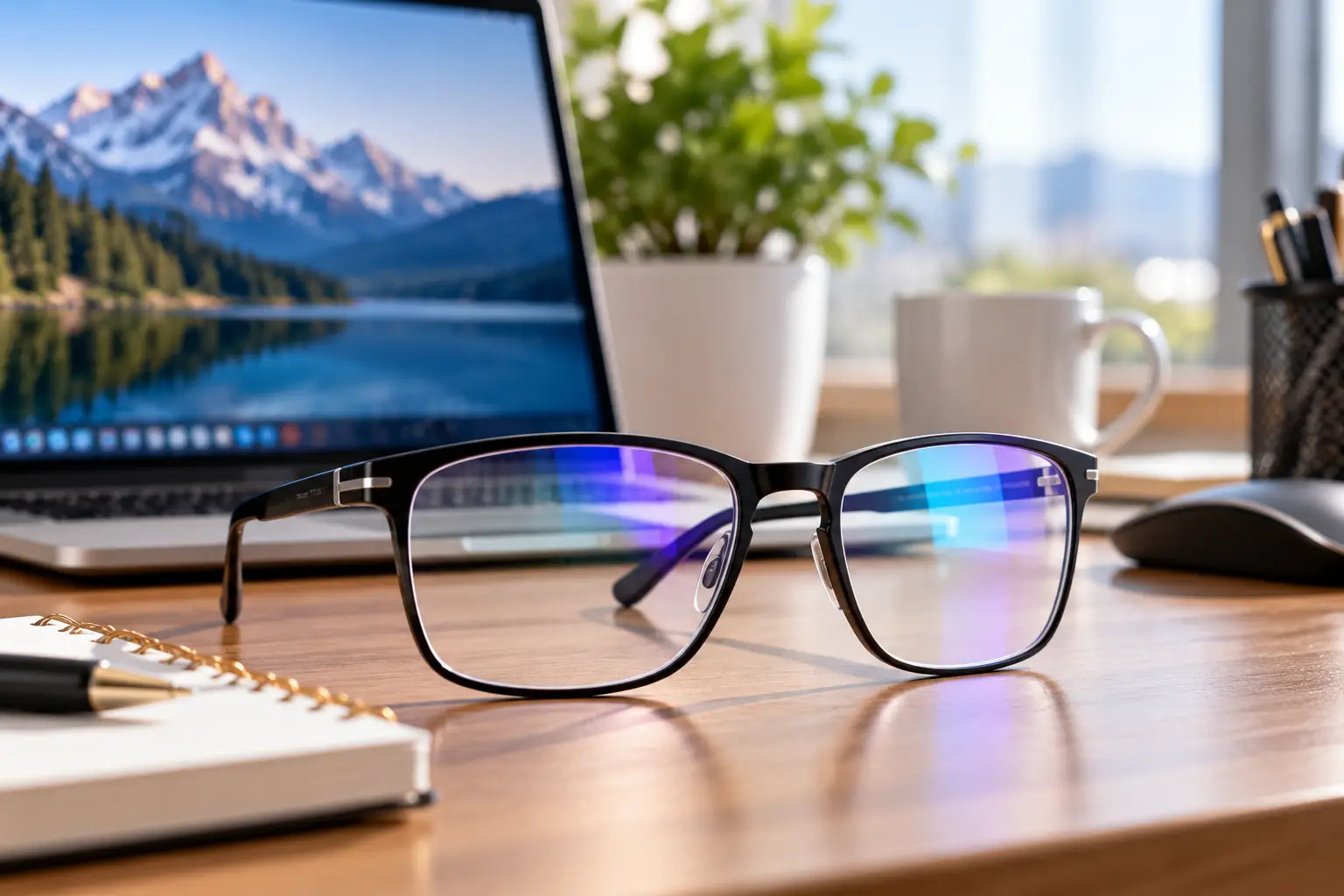
It’s 3:40 p.m. Your inbox is climbing, the overhead LEDs are bouncing off your lenses like a disco ball, and your eyes feel like they’ve been lightly sanded. Sound familiar? If you spend six, eight, or even ten hours a day in front of a monitor, computer glasses with anti glare coating are one of the simplest upgrades you can make to your workspace. However, they only help if you buy the right pair for the right reason.
Here’s the part most product listings skip. The American Academy of Ophthalmology says there’s no scientific evidence that the light coming from screens damages your eyes, and it doesn’t recommend special eyewear just for computer use. Instead, it points to reduced blinking, poor screen positioning, and glare as the real culprits behind that tired, gritty feeling. In other words, the “blue light” on the box is mostly marketing, while the anti-reflective coating on the lens is the feature doing honest work.
So why buy computer glasses with anti glare coating at all? Because reflections are real. An uncoated plastic lens bounces back a small but noticeable slice of the light that hits each surface, which creates ghost images of lamps, windows, and even your own eyes. A good anti-reflective (AR) coating cuts that visual noise, and the right frame can also give you the correct focus for the “arm’s length” distance where your monitor lives.
In this guide, you’ll find seven real models available on amazon.com, from under-$20 starter pairs to premium gaming frames. Each pick is analyzed through its published specs and real aggregated owner feedback, so you’ll know exactly what you’re paying for, and what you’re not.
What Are Computer Glasses With Anti Glare Coating?
Computer glasses with anti glare coating are eyeglasses designed for screen work that use an anti-reflective (AR) coating to reduce reflections from lamps, windows, and monitors. Many also add a blue-light filter, UV protection, or mild magnification tuned for intermediate distances, typically 20 to 26 inches from your face.
That definition matters because the category is broader than it looks. Some pairs are “plano” (zero correction) and exist mainly for their coatings. Others are computer reading glasses with magnification, built for people over 40 whose focusing range has started to shrink. And some are tinted amber so heavily that they’re really evening glasses, not all-day office glasses.
The AR coating itself is a stack of microscopically thin layers, usually metal oxides, that cause reflected light waves to cancel each other out. Practically, that means you stop seeing a faint reflection of the ceiling light hovering over your spreadsheet, and people on your video calls stop seeing two bright rectangles where your eyes should be. It also slightly increases the light that actually reaches your eyes, which makes text look a touch crisper. Think of it as noise-canceling headphones for your lenses: it doesn’t change the “music” on your screen, it just removes the hum around it.
Quick Comparison: 7 Best Anti Glare Computer Glasses at a Glance
| Product | Lens Tint | Key Strength | Price Range (at time of writing) | Best For |
|---|---|---|---|---|
| GUNNAR Intercept | Clear, Amber, or Amber Max | Published blue-light ratings per tint | Around $60–$100 | GUNNAR Intercept: gamers and all-day power users |
| Prospek Blue Light Glasses | Near-clear | Eight-layer lens treatment | Around $30–$50 | Prospek Blue Light Glasses: color-sensitive office work |
| Peepers Showbiz | Near-clear | Seven-layer anti-glare, spring hinges | Around $30–$45 | Peepers Showbiz: style-first video callers |
| GUNNAR Vertex Reading Glasses | Amber | Built-in reading magnification | Around $40–$70 | GUNNAR Vertex Reading Glasses: screen users over 40 |
| Horus X Amber Glasses | Deep amber | Heaviest filtering on this list | Around $15–$30 | Horus X Amber Glasses: late-night sessions |
| ZanyLen Browline Blue Blocker | Light | Adjustable nose pads, browline look | Around $15–$25 | ZanyLen Browline Blue Blocker: budget professionals |
| ANRRI TR90 Blue Light Glasses | Yellow-tinted | Lifetime warranty per listing | Under $20 | ANRRI TR90 Blue Light Glasses: first-time buyers |
Looking at this table, the biggest dividing line isn’t price, it’s tint. If you do anything color-sensitive (photo editing, design, even choosing slide colors), the near-clear Prospek Blue Light Glasses or Peepers Showbiz make far more sense than any amber lens. On the other hand, if your screen time peaks after dark, the Horus X Amber Glasses or an Amber Max GUNNAR Intercept trade color accuracy for a warmer, calmer-looking screen.
💬 One click helps other shoppers make an informed choice too! Tap a highlighted product to check the current price and availability on Amazon. 😊
Top 7 Computer Glasses With Anti Glare Coating: Expert Analysis
Every pick below was chosen from real listings on amazon.com and analyzed through manufacturer specs, independent roundups, and aggregated owner feedback. Prices are shown as ranges because Amazon prices change constantly, so always check the current price before you buy.
1. GUNNAR Intercept — most tint choices for every workday
If you want to decide exactly how much color shift you’ll accept in exchange for filtering, the GUNNAR Intercept offers the most transparent menu on this list. GUNNAR publishes a filter rating for each tint, measured at the 450 nm peak that screens emit: Clear blocks 35%, Amber blocks 65%, and Amber Max blocks 98%. In practice, Clear looks almost normal and works for spreadsheets and design; Amber turns white backgrounds noticeably warm; Amber Max is really a nighttime tool.
GUNNAR’s product specs also list anti-reflective coatings on both the front and back of its lenses, plus a scratch-resistant hard coat on impact-resistant polycarbonate. That back-side coating is the unsung hero: it stops the lamp behind you from reflecting off the inside of the lens and straight into your eye.
Based on comparing the specs, the GUNNAR Intercept suits gamers and heavy desk users who want a brand with a long track record in this category and clearly labeled tints. Across independent roundups, GUNNAR owners consistently praise build quality and coating durability, while the most common complaint is that amber tints distort colors and can feel too dark in brightly lit offices. We couldn’t verify a large pool of reviews specific to the Intercept frame, so treat this as brand-level sentiment.
Pros:
- ✅ Published blue-light rating for every tint option
- ✅ Anti-reflective coating on both lens surfaces
- ✅ Durable polycarbonate lenses with scratch-resistant hard coat
Cons:
- ❌ Amber tints noticeably shift on-screen colors
- ❌ Costs several times more than budget alternatives
Expect roughly $60 to $100 depending on tint, which is fair value if you’ll wear them daily for years.
2. Prospek Blue Light Glasses — cleanest all-day clear lens
The Prospek Blue Light Glasses are built for people who want to forget they’re wearing computer glasses at all. The lenses carry eight separate treatments, including anti-glare, anti-reflective, smudge-resistant, and scratch-resistant layers, and the listed blue-light reduction of roughly 50% comes with very little yellow tint.
Why does smudge resistance matter on computer glasses? Because every fingerprint scatters light, which recreates the exact glare the AR coating was supposed to remove. An oleophobic (oil-repelling) layer means you’ll wipe your lenses less often and see cleaner text between cleanings. The near-clear lens also keeps whites looking white, so it won’t sabotage color choices in design or photo work.
Here’s what to weigh: the Prospek Blue Light Glasses are the most balanced pick for office workers, designers, and remote teams who stare at bright white documents all day. They’re not the strongest filter, but honestly, the research suggests heavy filtering isn’t what relieves eye strain anyway.
Reviews consistently report comfortable wear through long workdays and less end-of-day fatigue after switching from uncoated lenses. The recurring complaints are that the regular size runs small on wider faces and that a faint bluish reflection is visible to others under strong side lighting.
Pros:
- ✅ Eight-layer treatment covers glare, smudges, and scratches
- ✅ Minimal tint keeps colors accurate for design work
- ✅ Lightweight frame suits long, continuous screen sessions
Cons:
- ❌ Regular size can feel narrow on wider faces
- ❌ Slight bluish reflection visible to others from certain angles
At around $30 to $50, it delivers premium-style coatings without premium pricing.
3. Peepers Showbiz — best when style matters on camera
The Peepers Showbiz proves that anti glare computer glasses don’t have to look like lab equipment. This oversized soft-square frame, which Peepers promotes as an Oprah’s Favorite Things pick, pairs a gradient finish with a lens that carries seven layers of anti-glare coating, a scratch-resistant layer, and UV400 protection.
The spring hinges deserve a mention. They let the temples flex outward instead of snapping, which means sliding the glasses on and off with one hand between meetings won’t slowly loosen the frame. Peepers also sells the Showbiz in non-correction (plano) lenses and in reading strengths, so one frame style can cover both a younger remote worker and a parent who needs magnification.
On paper, this is the pick for people who spend a lot of time on video calls and want glasses that read as a style choice rather than a medical device. The multi-layer AR coating matters here too, because it reduces the bright lens reflections that webcams tend to exaggerate.
Owner feedback summarized in independent roundups praises the look and the unusually nice hard case. However, some owners find the temples stiff during long wear, and the large frame can overwhelm narrow or petite faces. Its blue-light filtering is modest, which is fine if you’re buying mainly for glare reduction.
Pros:
- ✅ Fashion-forward frame looks great on video calls
- ✅ Seven-layer anti-glare coating with UV400 protection
- ✅ Available in plano and reading magnifications
Cons:
- ❌ Oversized shape may swamp smaller faces
- ❌ Temples can feel stiff after hours of wear
In the $30 to $45 range, you’re paying slightly more for design, and for many buyers that’s money well spent.
4. GUNNAR Vertex Reading Glasses — screen readers for over-40 eyes
The GUNNAR Vertex Reading Glasses solve a problem most blue-light glasses ignore: after about age 40, your eyes lose the ability to focus comfortably up close. This model combines GUNNAR’s amber lens, rated to block 65% of blue light at 450 nm, with reading magnification such as +1.50.
What does that mean in practice? If you’ve caught yourself leaning toward your monitor or pushing your laptop back to “find” focus, a mild screen-specific magnification can let you sit back in a healthier posture. The amber tint also boosts perceived contrast, which some users find makes small text easier to pick out.
Here’s what most buyers overlook: the magnification you need for a monitor is often weaker than the strength you use for a paperback, because your screen sits farther away. Choose the power for your actual screen distance, not your book-reading habit.
Across roundups, owners praise the sturdy build and the lens clarity. The most common complaint is predictable: anything beyond your desk looks blurry, so these aren’t glasses for walking around or glancing at a conference-room screen. A few owners also report noticeable overhead reflections under harsh office lighting, despite GUNNAR’s coating stack.
Pros:
- ✅ Combines screen-friendly magnification with GUNNAR coatings
- ✅ Amber tint increases perceived text contrast
- ✅ Solid, well-reviewed frame construction
Cons:
- ❌ Distance vision blurs while wearing them
- ❌ Amber tint is unsuitable for color-accurate work
At roughly $40 to $70, it’s a smart upgrade from drugstore readers if your screen is your main “book.”
5. Horus X Amber Glasses — deepest filter for late nights
The Horus X Amber Glasses are the heavy-duty option on this list, designed for people who do most of their screen time after dark. The manufacturer states that the amber lenses block 100% of blue light and UV, and the frame weighs under an ounce.
Let’s translate that claim honestly. A lens that removed every blue wavelength would make blue objects look nearly black, so treat “100%” as “filters the main high-energy blue band very aggressively.” The practical result is a strong orange cast: white backgrounds turn golden, and color-critical work becomes impossible. That’s a feature at midnight and a bug at 10 a.m.
Based on comparing the specs, the Horus X Amber Glasses make sense for night-shift workers, late-night gamers, and light-sensitive users who find a bright white screen harsh in a dark room. They’re the wrong pick for designers, photographers, or anyone who needs to trust on-screen color.
Reviews consistently report that light-sensitive users find the warm tint soothing during evening sessions. The recurring complaints are the unavoidable color distortion, large lenses that overwhelm smaller faces, fixed nose pads that can’t be adjusted, and temple pressure after very long wear.
Pros:
- ✅ Strongest filtering tint for evening screen sessions
- ✅ Very light frame for extended wear
- ✅ Large lenses reduce peripheral glare from multiple monitors
Cons:
- ❌ Heavy amber tint ruins color accuracy
- ❌ Non-adjustable nose pads limit fit customization
At around $15 to $30, it’s an inexpensive, dedicated “night pair” rather than an all-day solution.
6. ZanyLen Browline Blue Blocker — professional look on a budget
The ZanyLen Browline Blue Blocker looks like a pair that costs four times its price. Its hybrid frame pairs a TR90 upper brow with a metal lower rim, and the lenses stack four treatments: blue-light filtering, anti-reflective, anti-glare, and UV400.
The standout feature is the adjustable silicone nose pads. That sounds minor until you realize fit changes optics: when glasses slide down your nose, you end up looking through the lower edge of the lens, where distortion and reflections are worse. Adjustable pads let you set the lens height once and keep it there. The manufacturer also cites a 48-hour salt corrosion test on the metal parts, which suggests the hinges should hold up to sweaty summer commutes.
Here’s what to weigh: the ZanyLen Browline Blue Blocker is a strong pick for budget-conscious professionals who want something office-appropriate and adjustable. It’s not built for optical perfection, but it covers the essentials well.
Reviews consistently call out the comfort and light feel as reasons owners keep reaching for these over pricier pairs. Common complaints include mild distortion at the lens edges during big head turns, some ghost reflections under very bright LED panels, and a basic case with little drop protection.
Pros:
- ✅ Browline style looks polished in professional settings
- ✅ Adjustable nose pads keep lenses properly positioned
- ✅ Four-coating lens stack at a budget price
Cons:
- ❌ Minor edge distortion when looking off-center
- ❌ Coating struggles under very bright overhead LEDs
In the $15 to $25 range, it’s arguably the best value for anyone who cares about looks and fit.
7. ANRRI TR90 Blue Light Glasses — lowest-risk first pair
The ANRRI TR90 Blue Light Glasses are the easiest way to find out whether you even like wearing glasses at your desk. The frame is made of TR90, a flexible thermoplastic that bends instead of cracking, and the listing advertises a lifetime warranty on manufacturing defects.
The box includes a blue-light test card, which visibly shows the lens filtering a blue light source. It’s a fun demo, but keep perspective: proving that a lens filters blue light is not the same as proving it relieves eye strain. The listing also claims very high blue-light filtering, which comes with a noticeable yellow cast, so these lean closer to “tinted” than “clear.”
On paper, the ANRRI TR90 Blue Light Glasses make sense for first-time buyers, students, and anyone with a wider head who finds standard frames pinch. The flexible temples accommodate larger head sizes better than many rigid budget frames.
Reviews consistently report comfortable wear for wider heads and less end-of-day fatigue among heavy screen users. The most common complaints are the strong yellow tint, text that looks slightly less crisp than on mid-range lenses, and a fixed nose pad that can slip as skin oil builds up during the day.
Pros:
- ✅ Flexible TR90 frame fits wider heads comfortably
- ✅ Lifetime warranty on defects reduces buyer risk
- ✅ Very low price makes experimenting painless
Cons:
- ❌ Yellow tint noticeably distorts screen colors
- ❌ Lens clarity trails mid-range and premium options
Typically under $20, it’s a low-stakes experiment with a solid safety net.
Full Spec Comparison: Which Anti Reflective Computer Glasses Fit You?
| Product | Filter / Tint Details | Coating Highlights | Frame | Magnification Options | Best For |
|---|---|---|---|---|---|
| GUNNAR Intercept | 35% / 65% / 98% at 450 nm, by tint | AR front and back, hard coat | Polymer | Plano (Rx via GUNNAR) | GUNNAR Intercept: long gaming and work sessions |
| Prospek Blue Light Glasses | Roughly 50%, near-clear | Eight treatments incl. smudge-resistant | Lightweight plastic | Plano and readers (varies by style) | Prospek Blue Light Glasses: designers and office pros |
| Peepers Showbiz | Modest filtering, near-clear | Seven-layer anti-glare, UV400 | Acetate-style with spring hinges | Plano and readers | Peepers Showbiz: video calls and style |
| GUNNAR Vertex Reading Glasses | 65% at 450 nm, amber | GUNNAR coating stack | Polymer | Reading strengths | GUNNAR Vertex Reading Glasses: presbyopia at the screen |
| Horus X Amber Glasses | Maximum (manufacturer claim), deep amber | UV protection | Ultra-light plastic | Plano | Horus X Amber Glasses: after-dark screen time |
| ZanyLen Browline Blue Blocker | Light tint | AR, anti-glare, UV400 | TR90 + metal browline | Plano | ZanyLen Browline Blue Blocker: budget office wear |
| ANRRI TR90 Blue Light Glasses | High claim, yellow tint | Blue filter, AR | TR90 | Plano | ANRRI TR90 Blue Light Glasses: first-time testers |
Reading across the rows, only three models give you a genuinely useful choice beyond coatings: the two GUNNARs (published tint ratings and magnification) and the Peepers Showbiz (plano or reader strengths in one frame). Meanwhile, the budget trio of Horus X Amber Glasses, ZanyLen Browline Blue Blocker, and ANRRI TR90 Blue Light Glasses compete mainly on fit and tint strength. If you’re over 40, the magnification column matters far more than the filter percentage column.
✨ Don’t miss these top-rated picks!
🔍 Take your screen setup to the next level with this carefully curated lineup. Click a highlighted item to check current pricing and availability, and find the pair that helps you finish the workday with clearer vision and more comfortable eyes!
Getting Started: Your First 30 Days With New Computer Glasses
New computer glasses can feel strange for a few days, especially if you’ve never worn glasses. Here’s how to make the adjustment smooth and protect those coatings from day one.
Days 1–3: Set up your workspace first
Glasses can’t fix a bad setup. Position your monitor about an arm’s length away, with the top of the screen at or slightly below eye level, so you gaze slightly downward. Then check for glare sources: a window directly behind your monitor or an uncovered ceiling light behind your chair will still cause trouble, just less of it.
Days 4–10: Build the habit
Wear your glasses for full work blocks rather than taking them on and off constantly. Pair them with the 20-20-20 rule: every 20 minutes, look at something 20 feet away for 20 seconds. If you bought an amber tint, give your brain a few days; color perception usually “normalizes” as you adapt.
Days 11–30: Protect the coating
- ✅ Rinse lenses with lukewarm water before wiping to remove grit.
- ✅ Use a microfiber cloth and a cleaner labeled safe for anti-reflective coatings.
- ✅ Store glasses in their case, lenses up, never face-down on a desk.
- ❌ Skip paper towels, shirt hems, and ammonia-based glass cleaners.
- ❌ Don’t leave glasses on a car dashboard, since heat can craze AR coatings.
Common first-month mistakes
The biggest mistake is judging results by day two. The second is wearing reading-strength glasses like the GUNNAR Vertex Reading Glasses for walking around, which will feel dizzying. Finally, if your eyes still ache after a month of good habits, book an eye exam, because an uncorrected prescription is often the real problem.
Real-World Scenarios: Which Pair Fits Your Workday?
Specs are abstract, so let’s match picks to real people. Each profile includes budget, context, and frequency of use.
The remote marketing manager (budget: around $50, 8 hours a day)
Maya spends her day in docs, dashboards, and back-to-back video calls, and she edits social graphics twice a week. She needs accurate color and minimal lens reflections on camera. The Prospek Blue Light Glasses fit best because of their near-clear tint and smudge-resistant coating. If she cares more about how she looks on calls, the Peepers Showbiz is the stylish alternative.
The 52-year-old accountant (budget: up to $70, 9 hours a day in tax season)
Dan wears drugstore +2.00 readers and keeps leaning toward his dual monitors. His real problem is focus distance, not blue light. The GUNNAR Vertex Reading Glasses in a weaker strength than his book readers would let him sit back comfortably. Since his dual monitors sit at slightly different distances, he should also mention them at his next eye exam, because a prescription “computer” or office lens may serve him even better.
The college student and night gamer (budget: under $30, 4–6 hours a night)
Jordan studies until 11 p.m., then games until 1 a.m. in a dark room. A deep amber pair like the Horus X Amber Glasses makes the screen feel less harsh at night, while the ANRRI TR90 Blue Light Glasses make a cheap daytime study pair. If Jordan’s budget grows, an Amber GUNNAR Intercept combines both roles in one sturdier frame.
The common thread? Match the glasses to when and how you use your screen, not to the boldest percentage on the box.
Problem → Solution: Fixing the Most Common Complaints
Even the right pair can have hiccups. Here are the problems that show up most often in owner feedback, and how to fix them.
Problem 1: “I still see reflections.”
Solution: Check where the light is coming from. Coatings reduce reflections but don’t eliminate them, especially under bright LED panels, as some ZanyLen Browline Blue Blocker owners note. Tilt your monitor slightly, move a desk lamp to the side, or close blinds behind you. Also clean your lenses, since smudges scatter light.
Problem 2: “Everything looks yellow.”
Solution: That’s the tint doing its job. If color matters in your work, switch to a near-clear lens like the Prospek Blue Light Glasses or GUNNAR’s Clear tint. Keep amber lenses like the Horus X Amber Glasses for evenings.
Problem 3: “The glasses keep sliding down.”
Solution: Slipping glasses force you to look through the lens edges, where distortion is highest. Choose a frame with adjustable nose pads, like the ZanyLen Browline Blue Blocker, or ask any optical shop to adjust the temples. Many shops do this for free or a small fee.
Problem 4: “My eyes still hurt at the end of the day.”
Solution: Glasses aren’t a cure-all. Blink deliberately, use lubricating drops if your eyes feel dry, and follow the 20-20-20 rule. Persistent pain, blurry vision, or headaches deserve an eye exam, because an outdated prescription or focusing problem is a common cause.
Problem 5: “My readers are blurry at the monitor.”
Solution: Your strength is probably too high for screen distance. Try a lower power, such as moving from +2.00 to +1.50 in the GUNNAR Vertex Reading Glasses, and measure your actual eye-to-screen distance before ordering.
How to Choose Computer Glasses With Anti Glare Coating
Choosing well takes about five minutes if you ask the right questions in the right order. Eye-care organizations describe computer vision syndrome as a group of eye and vision problems tied to prolonged screen use, and the causes vary, so start with your own symptoms, not a product listing.
- Measure your screen distance. Most monitors sit 20 to 26 inches away. This intermediate range decides whether you need plano lenses or mild magnification.
- Decide if you need magnification. If you’re over 40 and lean toward your screen, consider computer reading glasses. If you already wear prescription glasses, ask your eye doctor about a dedicated computer prescription instead.
- Prioritize the AR coating over the blue-light claim. Look for anti-reflective treatment on both lens surfaces. The back-side coating stops reflections from lights behind you.
- Choose tint by time of day. Near-clear lenses work for daytime and color work. Amber lenses belong mostly in the evening.
- Check frame fit. Measure your current glasses (lens width, bridge, temple length) and compare them with the listing. Adjustable nose pads are a big plus.
- Look for smudge and scratch resistance. Oleophobic and hard coats keep glare from sneaking back through fingerprints and micro-scratches.
- Confirm the warranty and return policy. Fit is personal, so a clear return window protects you if the frame pinches or slides.
Follow these steps and you’ll end up with a pair that fits your eyes, your face, and your workday, not just the marketing.
Anti Glare Computer Glasses vs. Regular Glasses, Screen Filters, and Software
Anti glare computer glasses aren’t the only way to fight screen glare, so how do they compare with the alternatives you might already have?
Regular eyeglasses with a standard AR coating already handle reflections well. What they don’t always handle is the intermediate distance, since distance glasses are optimized for far away and readers for about 14 to 16 inches. That gap is exactly where many people strain.
Matte screen filters tackle glare on the monitor itself. The American Academy of Ophthalmology actually suggests a matte filter if screen glare bothers you. They’re great for glossy laptop screens, but they do nothing about reflections on your own lenses.
Night mode or blue-light software warms screen colors for free. It works on the same principle as amber lenses, without the color shift following you off-screen.
| Solution | Reduces Lens Reflections | Reduces Screen Glare | Helps Intermediate Focus | Typical Cost | Best For |
|---|---|---|---|---|---|
| Anti glare computer glasses | Yes | Partly | Only with magnification | $15–$100 | All-day screen workers |
| Regular glasses with AR coating | Yes | No | Rarely | Varies by prescription | People who already wear glasses |
| Matte screen filter | No | Yes | No | Around $15–$50 | Glossy laptop screens |
| Night mode software | No | No | No | Free | Evening color warming |
The takeaway from this table is that no single tool covers everything. The strongest combination for most people is anti-reflective lenses (in computer glasses or regular glasses) plus a well-positioned, properly lit monitor. Software and filters are cheap add-ons, not replacements.
Features That Actually Matter (and Ones That Don’t)
Marketing for blue light glasses with anti-reflective coating throws around a lot of numbers. Let’s sort signal from noise.
Features that actually matter
- ✅ Double-sided AR coating. Reduces reflections from both screen-side and behind-you light sources.
- ✅ Correct focus distance. Magnification or a computer prescription matched to your real screen distance.
- ✅ Fit and weight. A frame that stays put keeps you looking through the optical center of the lens.
- ✅ Smudge and scratch resistance. Keeps coatings effective after months of daily cleaning.
Features that matter less than you’d think
- ❌ High blue-light percentages. A 2023 Cochrane review of 17 randomized trials found that blue-light filtering lenses may not reduce short-term eye strain from computer work compared with regular lenses, and effects on sleep were unclear.
- ❌ “Blocks radiation” claims. Screens don’t emit harmful levels of radiation for your eyes to be shielded from.
- ❌ Test cards and flashlight demos. They prove a lens filters light, not that it helps your symptoms.
None of this means blue light glasses with anti-reflective coating are useless. Many people simply find a warmer tint more comfortable, especially at night, and that preference is valid. Just buy them for comfort and coatings, not for disease prevention, and skip paying a premium purely for a bigger percentage on the box.
Anti Reflective Computer Glasses for Readers Over 40
If you’re past 40 and your screen feels harder to read than it used to, the issue is probably presbyopia, the natural age-related loss of close-up focusing power. This is where anti reflective computer glasses with the right magnification can make the biggest real-world difference.
Why standard readers fall short at the monitor
Drugstore readers are usually calibrated for book distance, roughly 14 to 16 inches. Your monitor is often 20 to 26 inches away, so full-strength readers blur the screen and push you to lean in. As a rule of thumb, many people find a screen-specific strength a notch or two weaker than their book readers works better, although an eye exam is the reliable way to confirm it.
Choosing computer reading glasses
Look for three things in computer reading glasses: an anti-reflective coating on both sides, a strength matched to screen distance, and a frame that stays put. The GUNNAR Vertex Reading Glasses combine magnification with GUNNAR’s coatings, while the Peepers Showbiz offers reader strengths in a more fashion-forward frame.
When to see an eye doctor instead
If you use multiple monitors, switch often between screen and paper, or already wear bifocals or progressives, over-the-counter readers may not be enough. Ask about “office” or “computer” progressive lenses, which are designed to cover desk and screen distances in one lens. They cost more, but they can replace two or three pairs of glasses.
Long-Term Cost and Maintenance
Sticker price is only half the story. What matters more is cost per year of comfortable use.
| Tier | Example Picks | Upfront Cost | Realistic Lifespan With Good Care | Approx. Cost per Year | Best For |
|---|---|---|---|---|---|
| Budget | ANRRI TR90 Blue Light Glasses, ZanyLen Browline Blue Blocker | Under $25 | 1–2 years | About $10–$25 | Trying the category |
| Mid-range | Prospek Blue Light Glasses, Peepers Showbiz | Around $30–$50 | 2–3 years | About $10–$25 | Daily office wear |
| Premium | GUNNAR Intercept, GUNNAR Vertex Reading Glasses | Around $40–$100 | 3+ years | About $15–$35 | Heavy, long-term users |
Interestingly, the cost per year across tiers is closer than the sticker prices suggest. Budget pairs often wear out faster through coating scratches and loose hinges, while premium frames spread their cost over more years. These lifespan estimates are based on typical owner-reported wear patterns, not manufacturer guarantees, so your mileage will vary with how you clean and store your glasses.
Hidden costs to plan for
- ✅ Microfiber cloths and AR-safe lens cleaner run a few dollars a year.
- ✅ Free frame adjustments at most optical shops extend a frame’s life.
- ❌ Scratched AR coatings usually can’t be repaired, so the lenses must be replaced.
Some brands let you use FSA or HSA funds for certain eyewear, so check eligibility with your plan administrator before assuming.
Common Mistakes to Avoid When Buying Anti Glare Computer Glasses
Even savvy shoppers trip over these pitfalls. Here’s how to dodge them.
Mistake 1: Buying the highest blue-light percentage
Bigger isn’t better. Higher filtering usually means a stronger tint and more color distortion, and the research doesn’t show that it relieves eye strain. For daytime work, a near-clear lens like the Prospek Blue Light Glasses is usually the smarter buy.
Mistake 2: Ignoring frame measurements
A frame that’s too narrow pinches your temples, while one that’s too wide slides down your nose. Compare lens width, bridge, and temple length with a pair you already find comfortable.
Mistake 3: Using book-strength readers at the monitor
As covered above, screen distance usually calls for a weaker strength. Guessing too high leads to blur and leaning forward, which undermines posture as well as vision.
Mistake 4: Skipping the eye exam
Over-the-counter computer glasses can’t correct astigmatism or a mismatch between your two eyes. If you’ve had symptoms for months, a comprehensive exam is the best money you’ll spend.
Mistake 5: Treating glasses as a replacement for good habits
Even the best pair won’t make you blink more. Breaks, lighting, and monitor position still do most of the heavy lifting.
Safety, Regulations, and Standards
Because eyeglasses are regulated as medical devices in the U.S., there are real rules behind that listing, and knowing them helps you shop smarter.
Impact resistance
Under federal regulation 21 CFR 801.410, eyeglasses and sunglasses sold in the U.S. generally must use impact-resistant lenses. The standard test drops a 5/8-inch steel ball, weighing about 0.56 ounce, from 50 inches onto the lens, which must not fracture. Importers typically keep a “drop ball test” certificate for each shipment. Keep in mind that impact-resistant doesn’t mean unbreakable, and computer glasses are not safety glasses for workshop or lab use.
UV protection
Many listings advertise “UV400,” meaning the lens blocks ultraviolet light up to 400 nm. That’s genuinely useful if you wear your glasses outdoors or near a sunny window, even though screens themselves aren’t a meaningful UV source.
Honest marketing
Under FTC truth-in-advertising principles, health claims need evidence. Be skeptical of listings that promise to “prevent eye disease,” “block screen radiation,” or “cure headaches.” Well-supported claims focus on reflections, comfort, and UV protection.
Buying tips
- ✅ Buy from brand storefronts or well-reviewed sellers on Amazon.
- ✅ Check that the return policy covers fit issues.
- ❌ Avoid listings that make medical claims without evidence.
FAQ: Buying Computer Glasses With Anti Glare Coating
❓ Can I get prescription lenses in these frames?
❓ Are cheap anti glare computer glasses worth buying?
❓ Can I wear computer glasses over contact lenses?
❓ Do computer glasses help with gaming?
❓ How long does an anti-glare coating last?
Conclusion: Clearer Screens, Calmer Eyes
The best computer glasses with anti glare coating aren’t the ones with the scariest marketing or the biggest blue-light number. They’re the ones that fit your face, match your screen distance, and cut the reflections that make long days feel longer.
For most people working in daylight, the Prospek Blue Light Glasses deliver the best balance of clear lenses, strong coatings, and fair pricing. If style matters on video calls, the Peepers Showbiz is hard to beat. Heavy gamers and power users who want clearly rated tints should look at the GUNNAR Intercept, while anyone over 40 who leans into the monitor will likely get the biggest real-world benefit from the GUNNAR Vertex Reading Glasses.
On a tight budget? The ZanyLen Browline Blue Blocker offers a polished look and adjustable fit, the ANRRI TR90 Blue Light Glasses make a low-risk first pair, and the Horus X Amber Glasses serve well as a dedicated nighttime option.
Finally, remember that glasses are one piece of the puzzle. Position your monitor well, tame the lighting around you, blink often, and take regular breaks. If symptoms stick around, an eye exam can uncover the real cause faster than any product can.
🚀 Ready to give your eyes a break?
👓 Choose the pair that fits your workday, click a highlighted product to check the current price and availability, and start finishing your screen days feeling sharper, calmer, and a lot less squinty!
Recommended for You
- Clear Frame Reading Glasses: 7 Best Picks for Every Face (2026)
- Blue Tortoise Shell Eyeglasses: 7 Stunning Picks for 2026
- Light Bulb with Night Light: 7 Best Picks That Actually Work (2026)
Disclaimer: This post contains affiliate links. As an Amazon Associate, I earn from qualifying purchases made through these links, at no additional cost to you.
✨ Found this article helpful? Share it with someone who needs it! 💬🤗